If you run a shop in a mall, a branded outlet, or a busy store with a big electricity bill, FBR is looking at you this month.
FBR has stepped up its push to connect large retailers to its systems. Recent reports say close to 15,000 businesses have been integrated with FBR’s point-of-sale (POS) system since September 1 alone.
Many shop owners we speak to are worried and confused. Do I qualify? What software do I need? What happens if I don’t do it?
This guide answers those questions in plain language.
Who Falls Under FBR Tier 1 Retailers Integration 2026?
FBR Tier 1 Retailers Integration 2026 applies to retailers who meet the definition in Section 2(43A) of the Sales Tax Act, 1990.
You only need to meet one of these tests to count as a Tier-1 retailer.
The main tests
- Chain stores: you are part of a national or international chain, including franchises and authorised brand outlets.
- Air-conditioned malls: your shop is in an air-conditioned mall, plaza or shopping centre. Kiosks are excluded.
- Electricity bills: your shop’s electricity bills added up to more than Rs 1.2 million in the last 12 months.
- Shop size: your shop covers 1,000 square feet or more. Furniture showrooms have a higher limit.
- Bulk importers: you are a wholesaler-cum-retailer importing goods in bulk.
- Card machines: you accept card or digital payments through a bank-provided POS terminal.
- Withholding tax: your deductible withholding tax under Section 236H was more than Rs 100,000 in the last 12 months.
Quick self-check
- Do you have a card machine at the counter?
- Is your shop in a mall?
- Is your shop larger than about 1,000 square feet?
- Is your monthly electricity bill around Rs 100,000 or more?
If you answered yes to any of these, you are very likely a Tier-1 retailer.
The Cost of Non-Compliance and Heavy Penalties
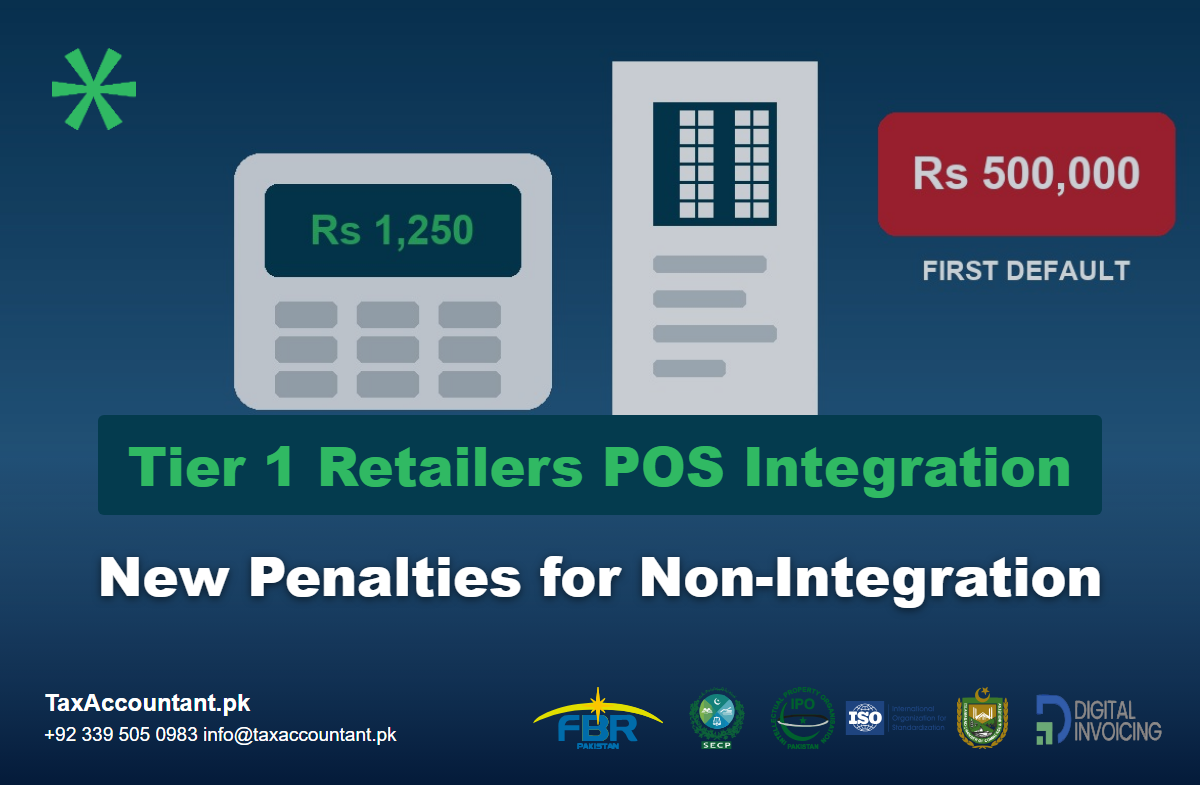
This is where many shop owners get a nasty surprise. The penalty for non-integrated POS FBR rules is designed to escalate fast.
The penalty ladder
According to the current schedule in Section 33 of the Sales Tax Act:
- First default: Rs 500,000
- Second default (15 days later): Rs 1,000,000
- Third default (15 days later): Rs 2,000,000
- Fourth default (15 days later): Rs 3,000,000
- Continued failure: your business premises can be sealed until you integrate
If you integrate before the second penalty is imposed, the Commissioner can waive the first one.
Tampering is treated even more seriously
- Bypassing the POS system, or tampering with it, can bring a penalty of Rs 500,000 or 200% of the tax involved, whichever is higher.
- Prosecution is also possible.
You lose input tax as well
- A non-integrated Tier-1 retailer can have 60% of its input tax disallowed for the period it wasn’t integrated.
- For a busy store, that alone can cost more than the penalties.
Your registration is at risk
- Under the Finance Act 2026, failing to comply with electronic invoicing is now a ground to suspend or block your sales tax registration.
- FBR has already started suspending registrations of businesses that aren’t integrated.
- A suspended registration means your buyers can’t claim input tax on your invoices, and you can’t file returns normally.
How to Transition Smoothly to FBR Digital Invoicing Rules Pakistan
The good news is that integration is a one-time setup. Once it’s done, it mostly runs itself.
Here is how to follow the digital invoicing rules Pakistan now applies to retailers.
Step 1: Confirm your status and registration
- Check which Tier-1 test you meet, and keep a note of it.
- Make sure you have an active sales tax registration (STRN).
- Declare every outlet in IRIS.
Step 2: Choose FBR-compliant POS software
- Use software from a licensed integrator. FBR’s own company, PRAL, offers integration free of charge. Private providers charge a fee.
- Ask whether the software handles multiple branches, returns, discounts and stock.
- Make sure it can work offline and upload sales once the connection returns.
Step 3: Complete FBR POS software registration
FBR POS software registration is done in IRIS.
- Register each point of sale against your outlet.
- Get the security credentials your integrator needs.
- Test the setup in FBR’s sandbox before going live.
Step 4: Deliver real-time invoices with QR codes
All sales must create an FBR invoice when live.
- Each invoice gets a unique FBR invoice number.
- Each invoice has a QR code that may be scanned by the customer.
- A Re 1 POS service fee is added to each invoice and paid to FBR with your monthly return.
- Ensure that the QR code prints nicely on your thermal paper.
Step 5: Keep your digital records clean
- Reconcile POS sales with your monthly sales tax return.
- Make sure every branch and every counter is reporting.
- Keep backups of daily sales data.
- Fix sync errors immediately, not at month-end.
Common mistakes to avoid
- Integrating only one counter in a store with several.
- Issuing manual receipts when the system is slow.
- Forgetting to register a new branch.
- Ignoring mismatches between POS data and the return.
FBR’s e-scrutiny system now cross-checks returns against POS and digital invoicing data. Gaps get flagged.
What If You’ve Already Received a Notice?
Don’t wait for the second penalty.
- Integrate as quickly as possible.
- Keep proof of the date your system went live.
- Reply to the notice through IRIS with evidence of integration.
- Ask the Commissioner to waive the first penalty if you integrated before the second default.
Acting quickly can save you Rs 1 million or more.
Let TaxAccountant.pk Handle Your POS Integration and FBR Compliance
POS integration isn’t just a software job. It involves your sales tax registration, your outlets in IRIS, your invoices and your monthly returns.
At TaxAccountant.pk, we handle the whole process:
- Checking whether you’re a Tier-1 retailer
- Sales tax registration and outlet declaration
- Setting up our FBR-integrated POS software and FBR digital invoicing software
- Replying to integration notices and penalty orders
- Monthly sales tax return filing
Let us take this off your plate so you can get back to running your shop.