What a Null Sales Tax Return Is
Even if your business wasn’t involved in any taxable activities like sales/purchases for a certain period, you are still obliged to file a return for it. To do so, you can utilize a Null Sales Tax and Federal Excise Return form, which essentially means that nothing needs to be declared for a particular period. It became available from tax year 2022 onwards.
Unlike a regular Sales Tax return, the Null Sales Tax Return doesn’t require you to fill in the Data tab, annexures, or make a payment via the Payment tab.
How to File a Null Sales Tax Return Using IRIS
Let’s go through the process of filing a null return via IRIS step by step.
Step 1: Open the Null Return Task
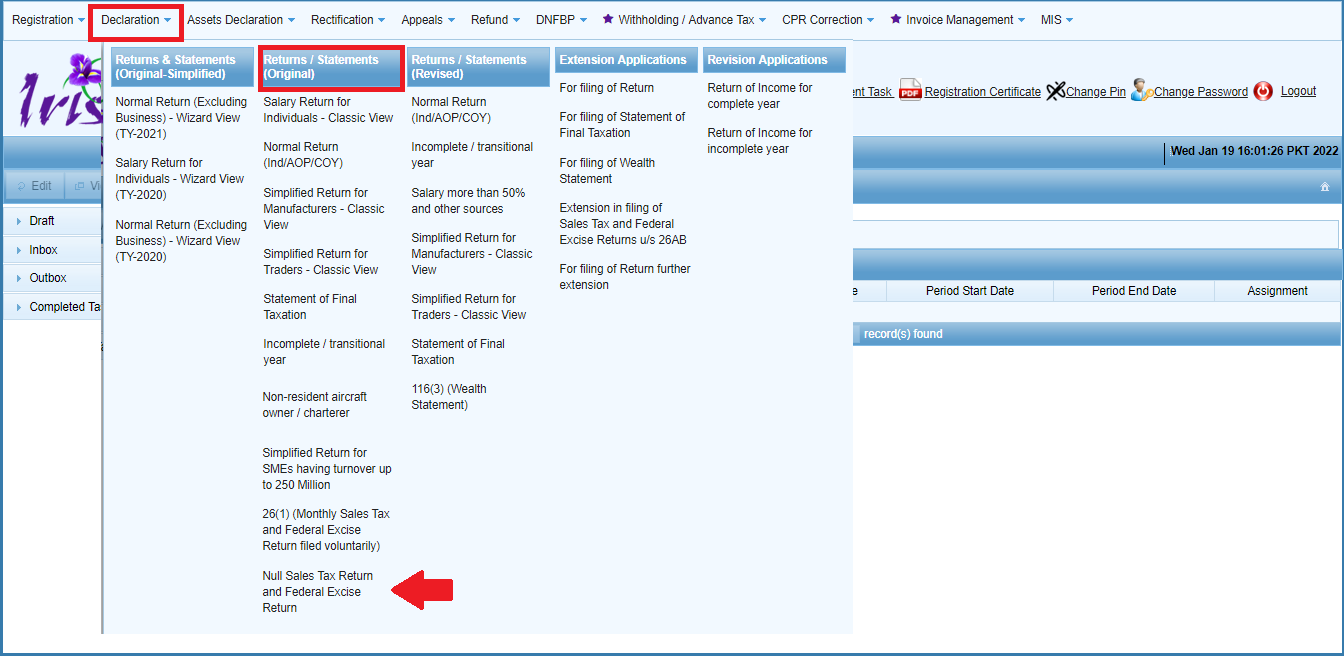
On the IRIS dashboard, navigate to the “Declaration” option in the mega-menu and select “Null Sales Tax Return and Federal Excise Return” in the “Return/Statements (Original)” section. This is the task you need to open in order to file a null return:
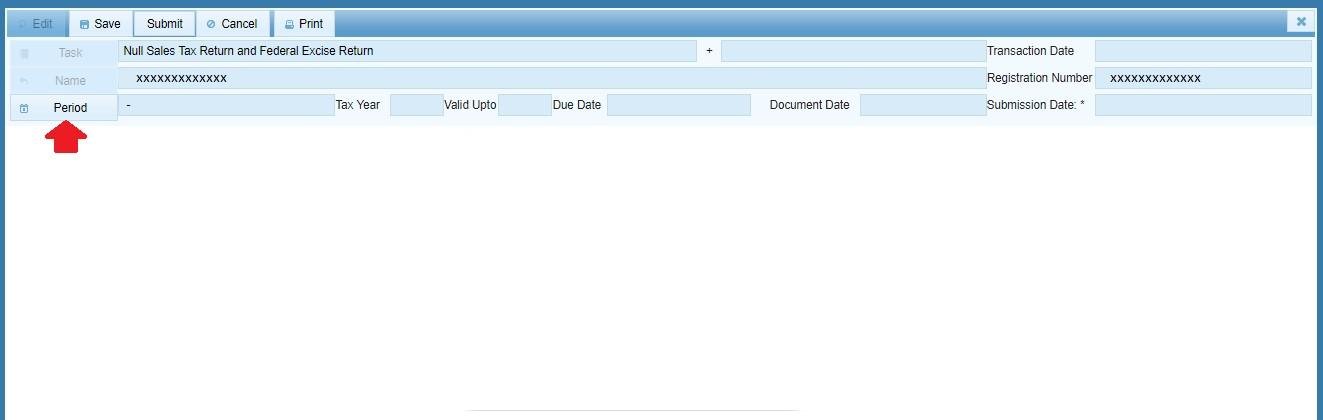
Step 2: Select a Tax Year
The IRIS system will open the Null Sales Tax form and prompt you to search for a particular tax year (period). Click the “Period” button to open the search window and enter the year you need; click the search icon to view all available periods. Tick the one for which you want to file a null return and click “Select” – IRIS will open the task window for the chosen period:
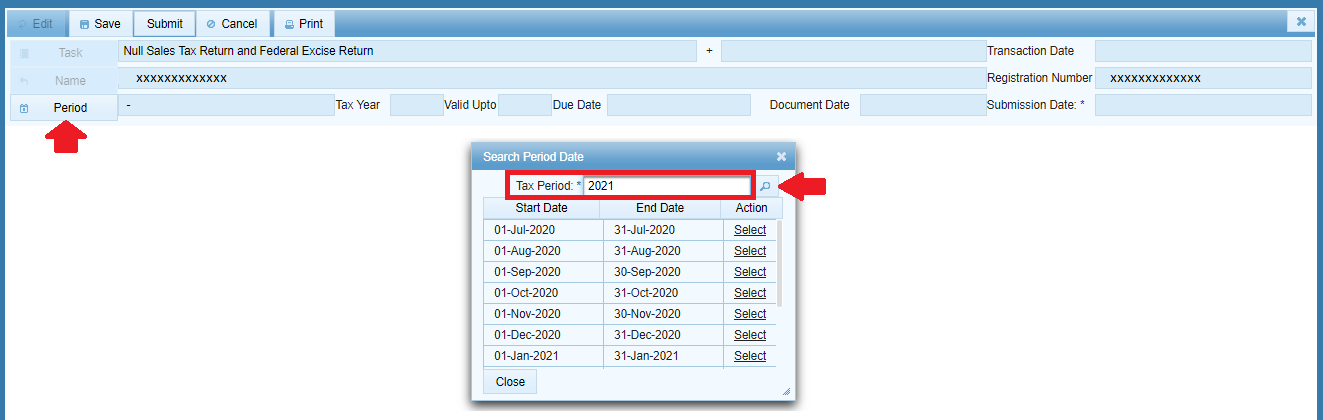
Step 3: Enter a Reason or Comment
The task has a “Contents” section, in which you can enter a reason or comment regarding your null return – for instance, why you believe it should be filed for a particular period. Normally, you will see some example text IRIS automatically inserts into the field:
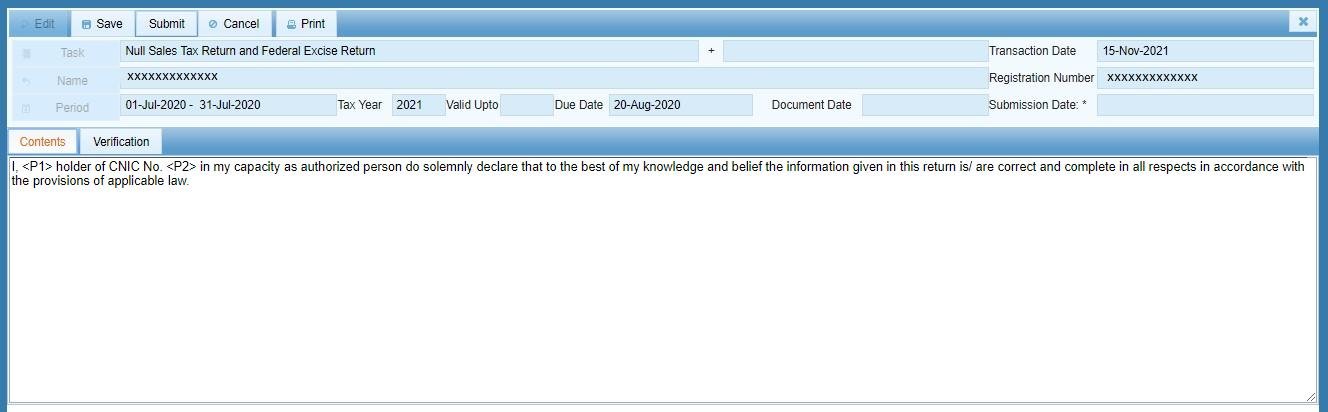
Step 4: Review and Submit
Next, go to the “Verification” tab and enter your PIN code to verify the return, then click “Submit” to file the null return for the selected period. Once done, IRIS will prompt you to confirm the submission – click “Yes” to finalize the filing, or “No” to exit and review the return:


Step 5: View Your Filed Return
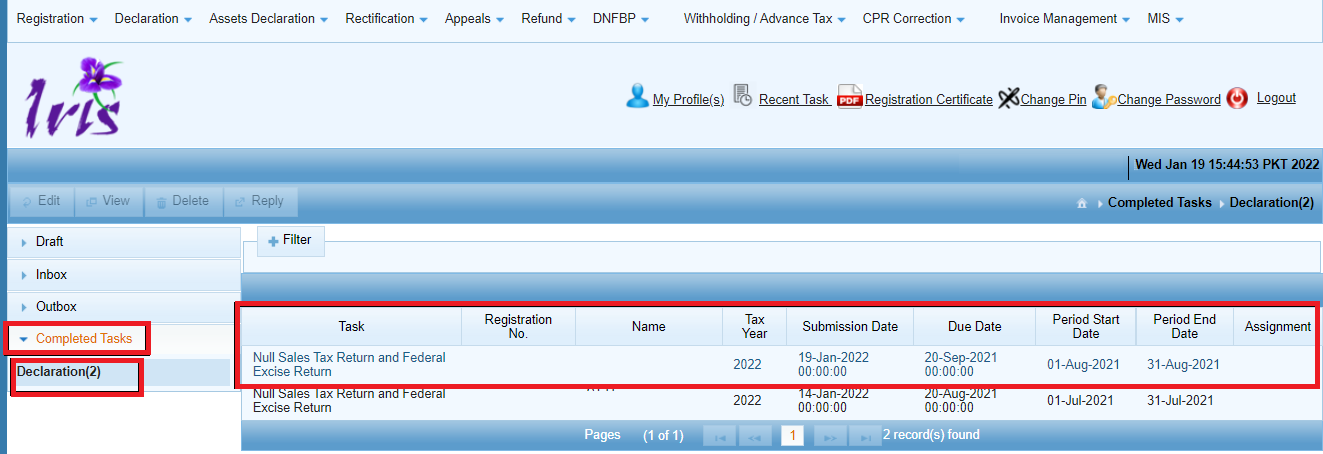
After you have filed a null return for a particular period, it will appear in the “Completed Tasks” list on your IRIS dashboard in read-only mode:
Common Errors Regarding Null Returns That You Should Avoid
- Not filing a return at all for a period in which your business had no taxable activities. Even if no sales/purchases occurred, you are obliged to file a report for that period, specifically using a null return form to indicate that nothing needs to be declared.
- Filing a regular Sales Tax return with all fields blank for a period instead of utilizing a Null Sales Tax Return task. In this case, you should use the “Null Sales Tax Return and Federal Excise Return” option in your IRIS declaration tasks for zero declarations, not a regular Sales Tax Return.
- Leaving the Contents/reason field of a null return blank or making no edits to it in case the automatically generated text doesn’t pertain to a particular period.
FAQ
Should I file a null return instead of a regular Sales Tax return?
Yes, if there were no taxable sales, purchases, or other activities to declare for a particular period.
Do I need my PIN to file a null return?
Yes – Just like with a regular Sales Tax return, you need to enter your PIN code in the “Verification” tab to submit a null return form.
Where can I view a null return after it has been filed?
Its “Completed Tasks” list in the IRIS dashboard viewable in read-only mode (the same area where you can see your regular filed returns).
Is a null return available for older tax years?
The option to file a null return is available for tax year 2022 onwards – for older periods, you need to follow the procedure set by the e.fbr portal at the time.
For a detailed guide on the process of filing a Sales Tax return in Pakistan when you need to declare something, consult our step-by-step instructions on filing a Sales Tax return.