
If you are an attorney or a Registered Trademark Agent (RTMA) filing trademark applications on behalf of applicants, you register as a REPRESENTATIVE on IPO-Pakistan’s online filing system. The process is largely similar to SELF registration described below, apart from a few additional steps including verification of credentials. The process is also slightly different for SELF filing, for people who file trademark applications for themselves.
If you file your own trademark applications instead of an attorney or RTMA, see the guide to registering as a SELF user.
Step 1: Start Online Registration
Visit apply.ipo.gov.pk and select New Registration on the login screen.

Step 2: Verify Mobile Number and Email (Step-I)
Again similar to SELF registration, you will need to enter your CNIC details, select your mobile service provider and verify your mobile number and email address by entering the verification code sent to your mobile number and email address. They will remain greyed out and locked until you verify them.
Step 3: Select REPRESENTATIVE, Then ATTORNEY or RTMA
On Step-II (Authorized Representative Detail) choose REPRESENTATIVE instead of SELF. Upon selecting REPRESENTATIVE, two options open up for you:
- ATTORNEY – if you are a licensed lawyer with any of the Provincial Bar Council, Islamabad Bar Council or Pakistan Bar Council.
- RTMA – if you are a Registered Trademark Agent with Trademark Registry, IPO-Pakistan
Step 4: Select Business Type and Enter Details
By selecting ATTORNEY, a Business Type field opens up with the following three options:
- Sole Proprietorship – if you are an individual lawyer running as a proprietor.
- Association of Persons (AOP) – also commonly known as a Firm, if you are running as a Partnership.
- Private Limited Company – if you have incorporated a Private Limited Company for your law practice.
If you select AOP, you will need to enter the additional information of the partners’ names and CNIC numbers.
After selecting your Business Type, enter the following details:
- Title
- Full Name
- Gender
- License No. – your Bar Council License No., HCR No. or SCR No.
- Name of Law Practice
- Landline Phone
- Correspondence Address – the address of the law firm only. Do not enter the firm’s name, city or phone number here, as there are separate fields for them.
- Province
- City
This information is collated and auto-filled in the Correspondence Address field in the TM1 forms for your trademark applications. It should be in the format: Name of Law Firm, Address, City, Province.
Step 5: Upload Your Bar Council License
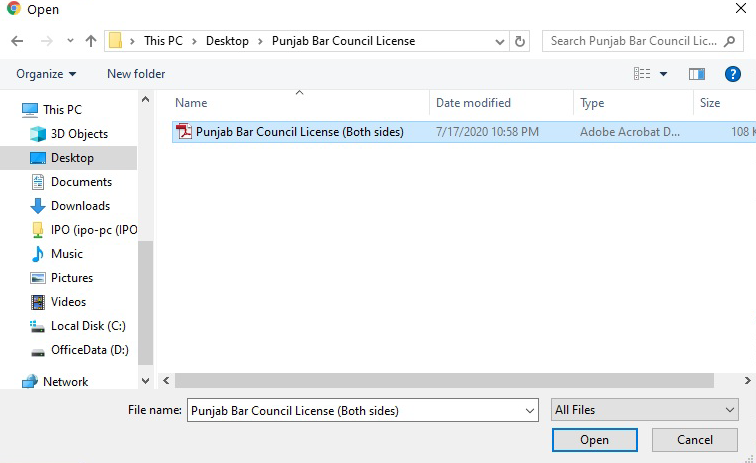
Click on Choose File in the Upload License Scanned File field and select the color scanned image of your Bar Council Card or Certificate. The file size must be less than 1MB and should be in .jpg, .png, or .pdf format.
Step 6: Accept Terms and Submit
Tick the box to accept the Terms & Conditions, enter the captcha code, and click SAVE & CONTINUE. You will see a Registration Successful message and get a confirmation email.

Step 7: Wait for Your Username and Password
After IPO Pakistan reviews your application for anomalies, you should get an email from no-reply@ipo.gov.pk with your Username (your CNIC) and Default Password. Along with it, they will also inform you that an address verification letter has been sent to you by courier or registered post. At this point, you can log into the system, but you cannot file applications until you enter details of the address verification letter, as per Step 8 below.
Step 8: Upload Address Verification Letter
When the address verification letter arrives with the courier, fill in the Courier Consignment Number, sign and stamp it as instructed. Log into the filing system, and click on the two-buildings icon on the top right to visit your profile. Under the Action column, click on the edit icon next to your name. Scroll down to the Attorney Letter Detail section, and enter the Consignment Number and Receiving Date. Attach a scanned copy of the signed address verification letter.
Step 9: Enter your 4-digit PIN Code
Upon IPO Pakistan verifying your uploaded address verification letter against the courier’s tracking details, they will send you an SMS and email with a 4-digit PIN Code. Once you enter the PIN Code, your registration is complete, and you can start filing trademark applications for your clients.
FAQ
Can I register more than one law firm under my CNIC?
You cannot register more than one law firm under your CNIC. In case you have more than one firm, the second firm needs to be registered under another partner’s CNIC.
If a firm comprises several partners, can each register as an ATTORNEY?
No. Although multiple attorneys can register under one firm, only one registration can be approved for a firm, regardless of the number of partners. The partners can decide amongst themselves on who will hold the registration.
Can I start filing trademark applications right away after getting my Username and Password?
No. Although you can log into the system, you cannot file applications until you upload and your address verification letter has been approved. Only upon getting your 4-digit PIN Code can you start filing.
What is the difference between ATTORNEY and RTMA?
ATTORNEY is for lawyers registered with any of the provincial bar councils, Islamabad bar council or Pakistan bar council. RTMA is for Registered Trademark Agents who have registered directly with the trademark registry. Both categories constitute REPRESENTATIVE, a category different from SELF.
After completing the above steps, if you intend to file applications, see our guide to registering a trademark in Pakistan for a step-by-step procedure on filling the forms, applicable fees and timelines.
Do you manage multiple clients and their trademark filings? Let us assist you with the tedious task of filing and let you focus on running your practice.