What Return Filing on Notice Means
If FBR’s tax office has issued you a notice asking you to file an Income Tax Return or submit a required declaration, this needs to be responded to via IRIS, rather than your regular standalone Voluntary Return filing procedure. This is distinct from the process of filing your regular (non-notice bound) Voluntary Return.
For help filing your regular annual return, refer to our step by step guide to filing your income tax return online.
Step 1: Find the Notice in Your Inbox
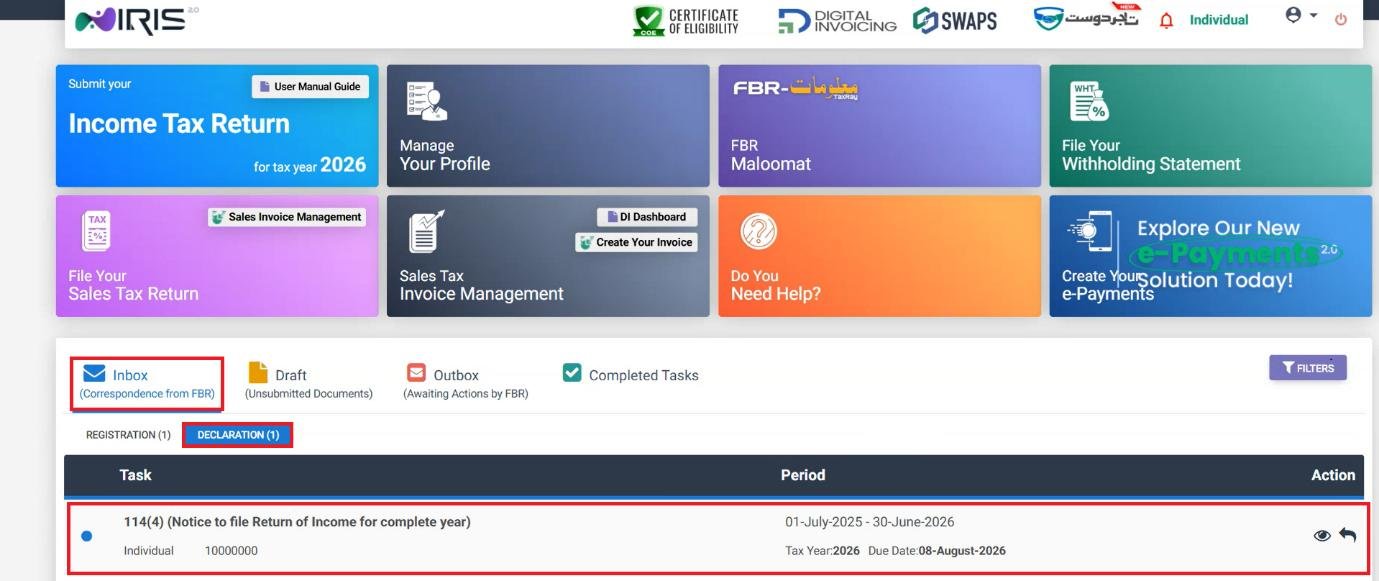
Login to IRIS and go to your Dashboard. In the Inbox, click on Declaration – the notification issued by the Tax Officer will appear in line with any other pending notices bound to your CNIC/NTN.
Step 2: Reply and Select the Task
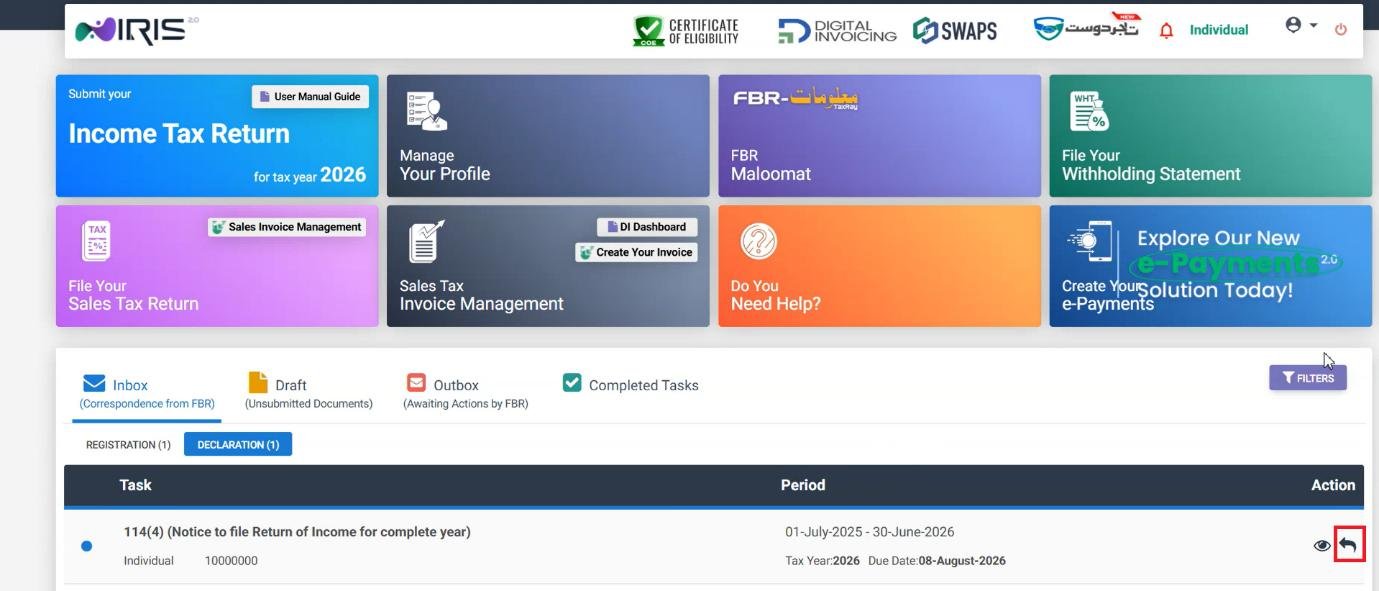
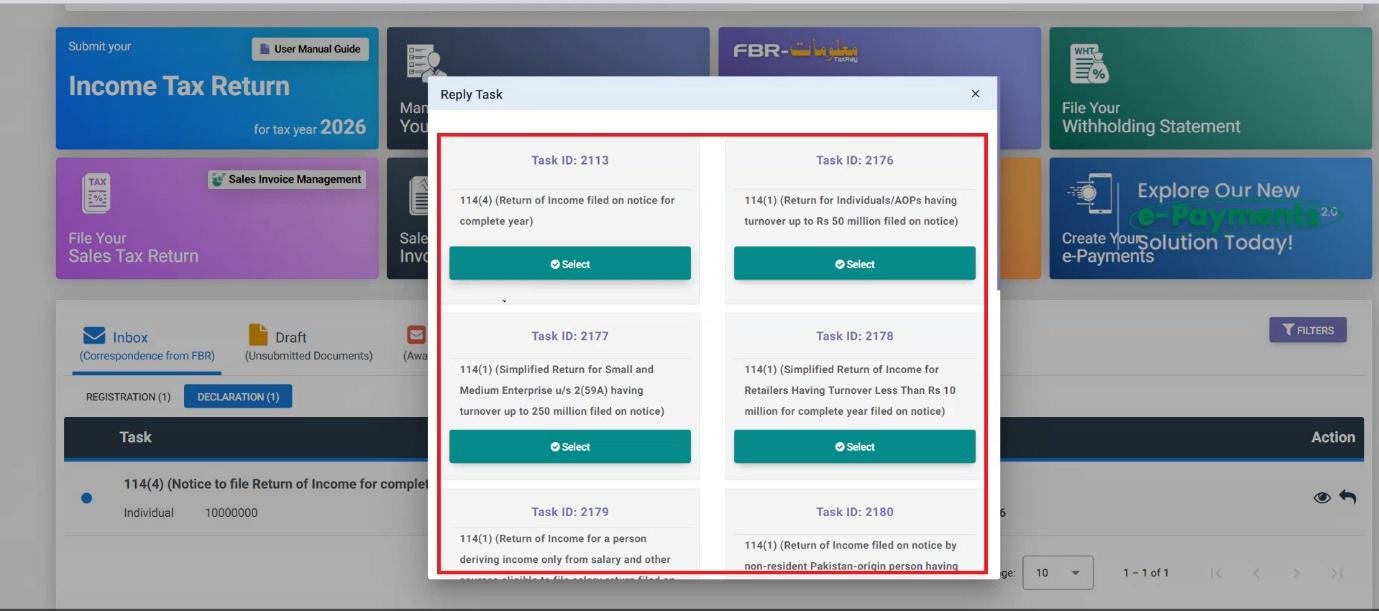
Click Reply on the relevant notice and a list of tasks will appear – click Select for an applicable task associated to the notice you have received. This will bring up the relevant filing interface which can be completed as normal, like a regular return, but following the standard process of reporting your income sources and completing all applicable modules.
Common Mistakes We See With Notice Responses
- Filing a new Voluntary Return in place of replying to a notice issued by the Tax Office. If a notice has been issued, the response needs to go through the Declaration/Inbox flow to bind it to that notice – a separate unrelated filing will not be considered to have responded.
- Leaving a notice unanswered due to the process appearing intimidating. The Reply and Select process is largely straightforward once you are in the correct location – most of these notices respond to similar income reporting procedures as a regular return filing.
- Missing the response deadline included in the notice (notices from FBR usually include a time limit) – IRIS will not remind you once this expiry date has passed.
FAQ
Can I file a return to respond to an FBR notice?
Yes – select the relevant notice in your Inbox and follow the prescribed filing procedure through the Reply and Select flow.
How can I see a notice in IRIS from FBR?
On your Dashboard, click Inbox, then Declaration – any notice issued by a Tax Officer will be displayed.
What if I’m not sure which task to select after clicking Reply?
The tasks listed correspond to what the notice asks you to do – read the notice carefully to select the correct one. If you are unsure, it is a good idea to get a second opinion before submitting, as a notice response can often have a legal weight.