How to File Income Tax Returns in Pakistan Online (IRIS Step-by-Step Guide 2026)
Filing your income tax return is a process completed online through the IRIS system of the Federal Board of Revenue (FBR).
Every registered taxpayer must submit their return every year through this portal.
This guide only covers the practical filing steps inside of IRIS, so you can complete your return without confusion or mistakes.
This topic is part of a complete guide on Income Tax Return →
https://taxaccountant.pk/income-tax-return-filing-services-in-pakistan/
What Is IRIS in Pakistan Tax System
IRIS is the official online tax filing system of the Federal Board of Revenue.
Used for:
- Income tax return filing
- Wealth statement submission
- Tax record management
- Verification of taxpayer data
You can access it through the official system:
IRIS FBR
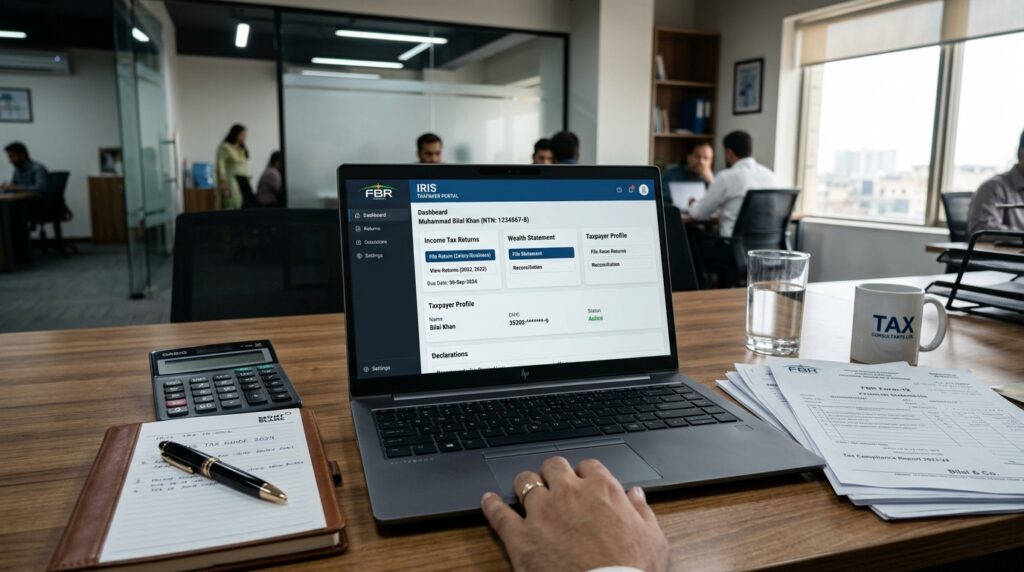
Step 1: Login to IRIS Portal
Open the IRIS portal, enter your CNIC or NTN and password, complete the CAPTCHA and click Verify. Your taxpayer dashboard will load upon logging in.
Step 2: Start Your Return
From the dashboard, click on the “Submit your Income Tax Return” tile, select the tax period and click Continue. This opens up the Return Prerequisites screen.
Step 3: Select Your Income Sources
On the Return Prerequisites screen:
- Select the source(s) of income that apply to you – Employment, Property, Business, Capital Gain, Other Sources, Foreign Sources and/or Agriculture
- Confirm whether you’re a tax resident of Pakistan for the year (Section 82-84 of the Income Tax Ordinance, 2001)
- If you’re a non-resident, you’ll also be asked whether you’re submitting a Wealth Statement – this is mandatory if you’re a member of an AOP in Pakistan
- Click Start Return Filing
Only the sections relevant to the income sources you’ve selected will appear on the return – you’re not filling out irrelevant tabs. You can add or remove income sources later from within the return using the “Add Income Sources” button – though removing a source also removes any withholding tax data already tied to it.
Step 4: Complete Each Income Module
The return is now divided into separate modules according to what you’ve selected in Step 3 – for example, Employment (salary and tax deductions), Property (rental income and deductions), Business (revenue, expenses, adjustments, balance sheet), Capital Gain, Other Sources, Foreign Sources and Agriculture. Work through each applicable module, entering the relevant figures and click Calculate after entering data in a section so the system updates your computation.
For a detailed walkthrough of the Employment/Salary module specifically – including arrears, pension and perquisites – take a look at our guide to reporting salary income in IRIS.
For rental income specifically, check out our guide to reporting property income in IRIS.
Running a business? Take a closer look at our guide to reporting business income in IRIS.
Sold shares, securities or property this year? Take a look at our guide to reporting capital gains in IRIS.
Have dividends, royalties, prizes or other miscellaneous income? Take a look at our guide to reporting other sources income in IRIS.
Have foreign salary, property or business income? Take a look at our guide to reporting foreign income in IRIS.
Earn income from farmland? Take a look at our guide to reporting agricultural income in IRIS.
Stuck with a non-zero Unreconciled Amount? Take a look at our guide to fixing an unreconciled amount in your Wealth Statement.
Need to correct a return you’ve already filed? Take a look at our guide to filing a revised income tax return in IRIS.
Received a notice from FBR? Take a look at our guide to responding to an FBR tax notice in IRIS.
Have a quick question about the new system? Check out our IRIS income tax return FAQ covering 53 common questions.
Step 5: Tax Chargeable and Payments
This section pulls together allowances, reductions, tax credits and withholding tax already deducted, and calculates your final tax liability. Review the Computation tab here before moving on – it reflects everything entered in the earlier modules.
Step 6: Wealth Statement (If Required)
If you’re submitting a Wealth Statement, this section records your assets, liabilities and how your net worth changed during the year – including any foreign assets/liabilities if applicable, and a reconciliation of your net assets. The system will show an “Unreconciled Amount” if your declared inflows, outflows and assets don’t add up consistently – this must be brought to zero before you can submit. If you’re not submitting a Wealth Statement, an Immoveable Property tab appears instead, for recording property relevant to Property and Agriculture Income and Capital Gains.
Step 7: Attachments and Payment
Upload any supporting documents as PDFs where the system requests them, and complete any tax payment due through the Payment section.
Step 8: Submit Your Return
Once every mandatory field is complete, validation errors are resolved and (if applicable) your Wealth Statement is fully reconciled, submit the return. You’ll get a confirmation message, and the filed return will appear in your account.
Common Mistakes in Tax Filing
Many users have issues due to:
- Wrong income reporting
- Missing bank profit details
- Ignoring withholding tax
- Submission without review
- Using wrong tax year
These issues often result in notices from FBR.
Practical Tips for Accurate Filing
- Keep salary slips handy
- Download tax deduction certificates
- Match income with bank statements
- Always review before submission
- File before deadline
Income tax returns in Pakistan are filed through the official IRIS system managed by the Federal Board of Revenue (FBR).
FAQ Section
How do I file income tax return in Pakistan online?
You can file it through IRIS portal of FBR by logging in and submitting your return form.
Is IRIS compulsory for tax filing?
Yes, all income tax returns in Pakistan are filed through IRIS.
Can I file tax return without help?
Yes, but accuracy is important to avoid FBR notices.
What happens after submission?
You receive an official acknowledgment receipt from IRIS.
This topic is part of a complete guide on Income Tax Return →
Income Tax Return Filing Services in Pakistan | Tax Consultant in Islamabad, Karachi & Lahore
No schema found.No schema found.
Continue Your Income Tax Filing Guide
Before you start, use our free tax document checklist generator.
If you have paid more tax than you owe, see our income tax refund processing service.