Reporting Capital Gains in the New IRIS Return
If you sold or disposed of shares, securities, immovable property, mutual funds, or other investments during the tax year, that profit goes in the Capital Gain part of the return. You should select that as an income source on the Return Prerequisites screen if you haven’t done so already.
See the Tax Year 2027 (2026-27) capital gains (Sec 37A) rates in our free tax calculator.
For the full return walkthrough from login to submission, see our step-by-step guide to filing your income tax return online.
Step 1: Add Your Capital Assets
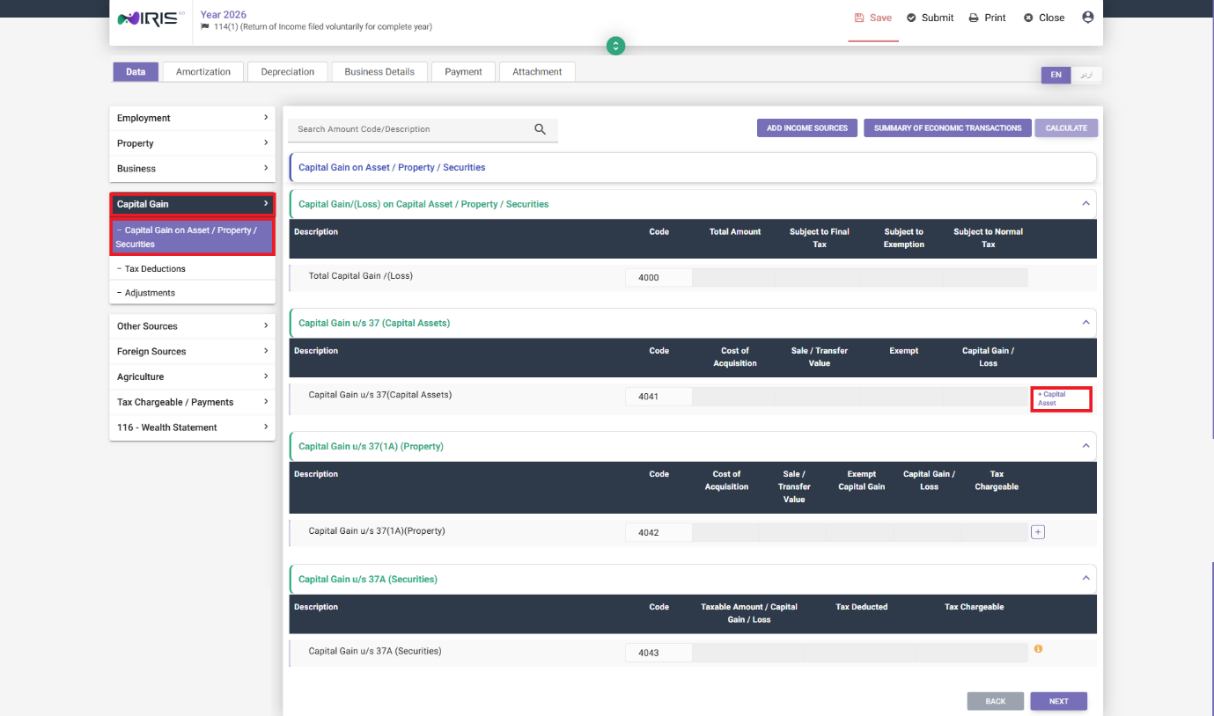
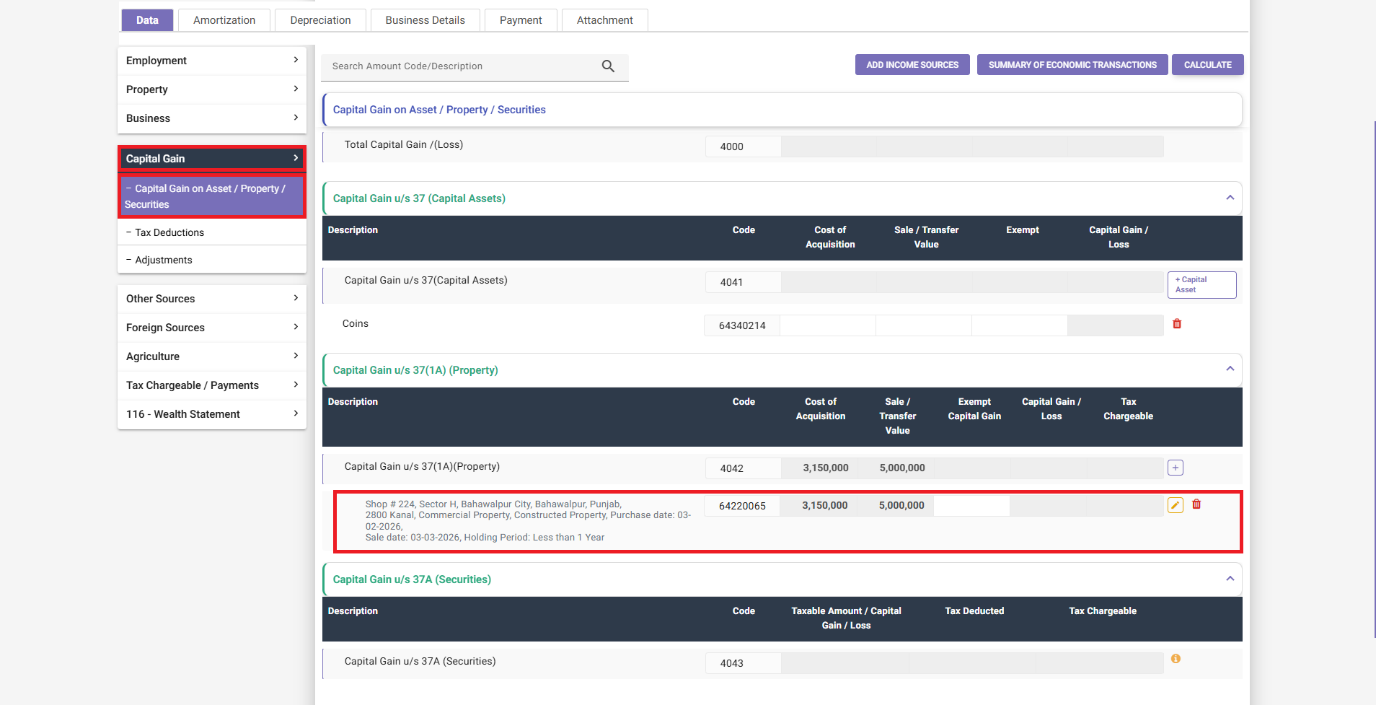
Go to the Capital Gain section and select Capital Gain on Assets, Property, or Securities, depending on what you disposed of.
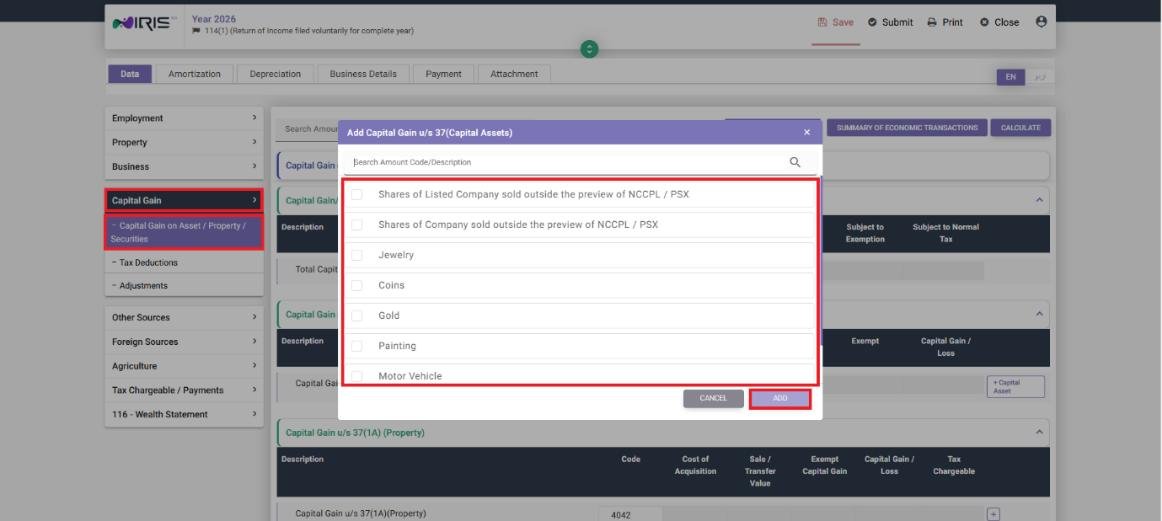
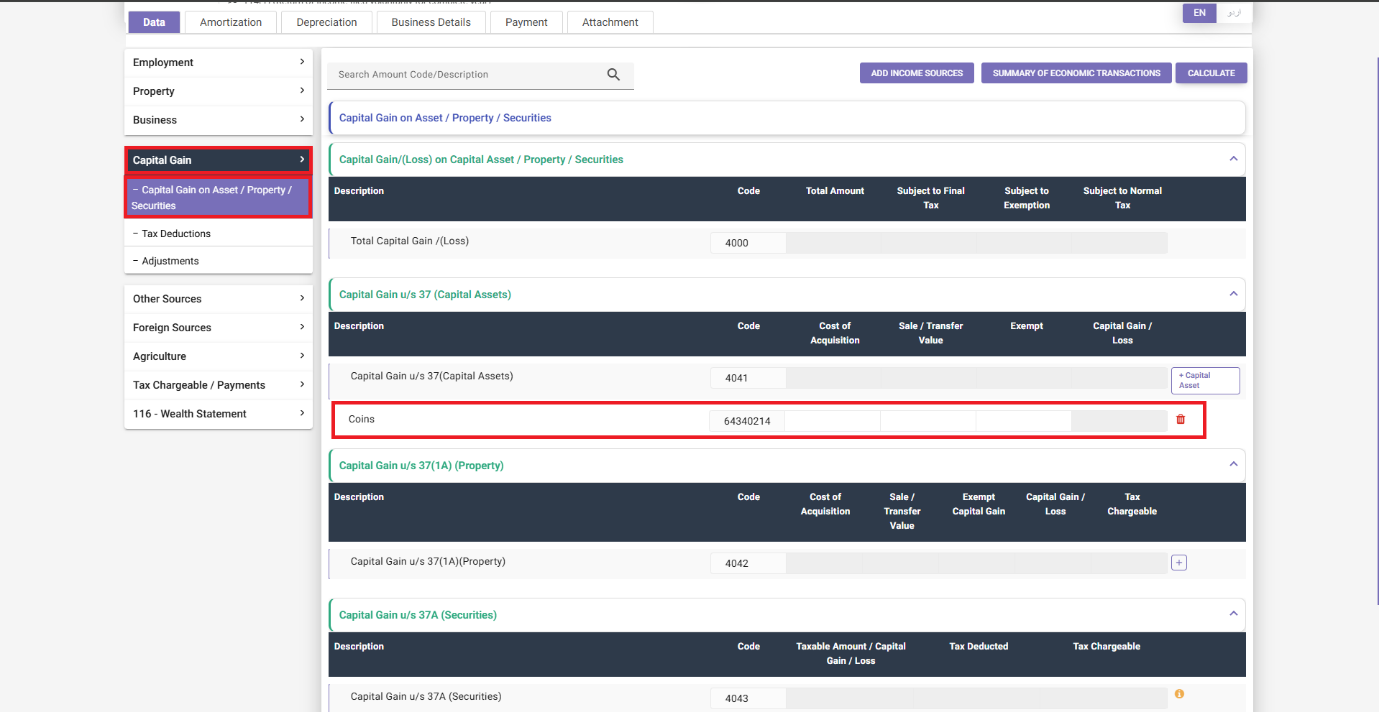
- For shares, securities, mutual funds, etc: click “+ Capital Assets,” select the applicable asset from the list, and click Add. It will show up in the relevant section.
- For property: click the + icon under the Property section, select the applicable property from the list, and click Next. Enter the required details in the fields that follow and click Update – the capital gain or loss on that property will then show on screen.
Enter the required amounts in the applicable fields, click Calculate, then Next.
Step 2: Tax Deductions
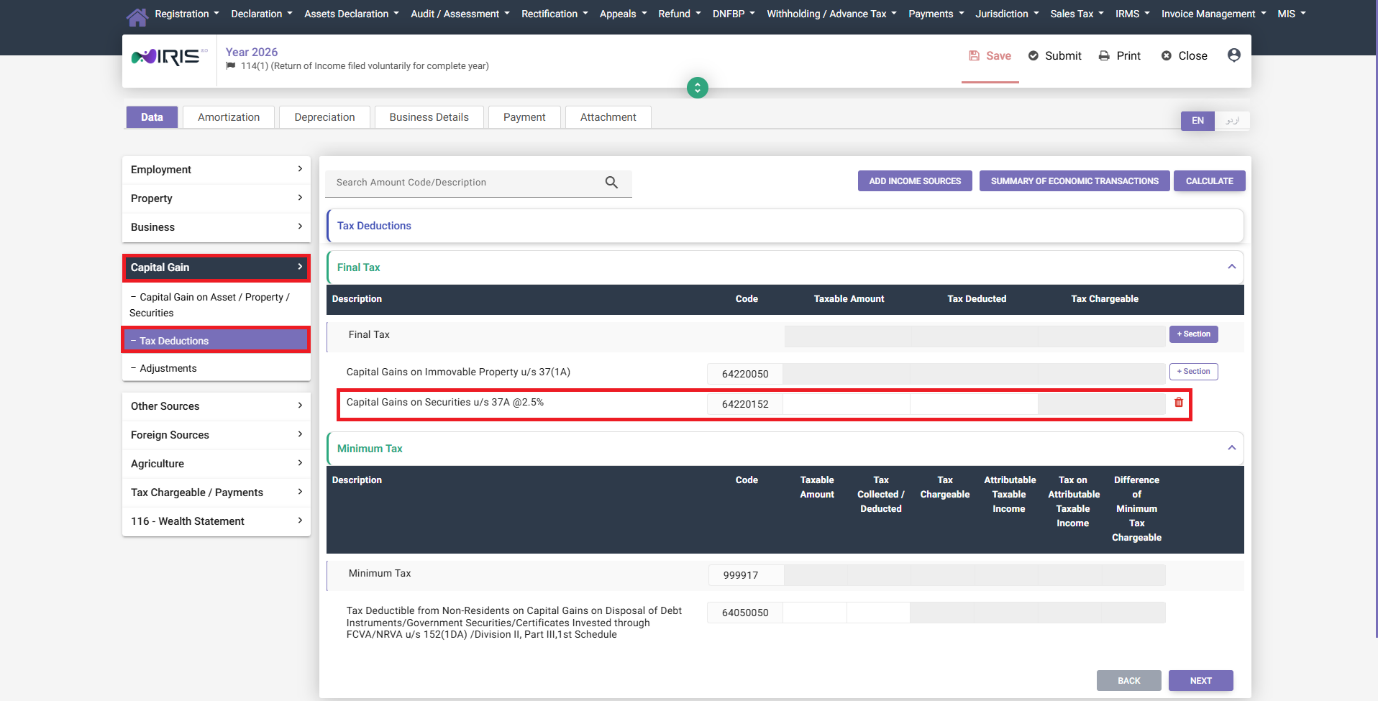
Under Tax Deductions, click “+ Section” under the Final Tax section, select the applicable Final Tax entry from the list, and click Add. Enter the required values, click Calculate, then Next. Capital gains are typically subject to Final Tax rather than being combined into your general taxable income, so this step is more important here than for salary or business income.
Step 3: Adjustments
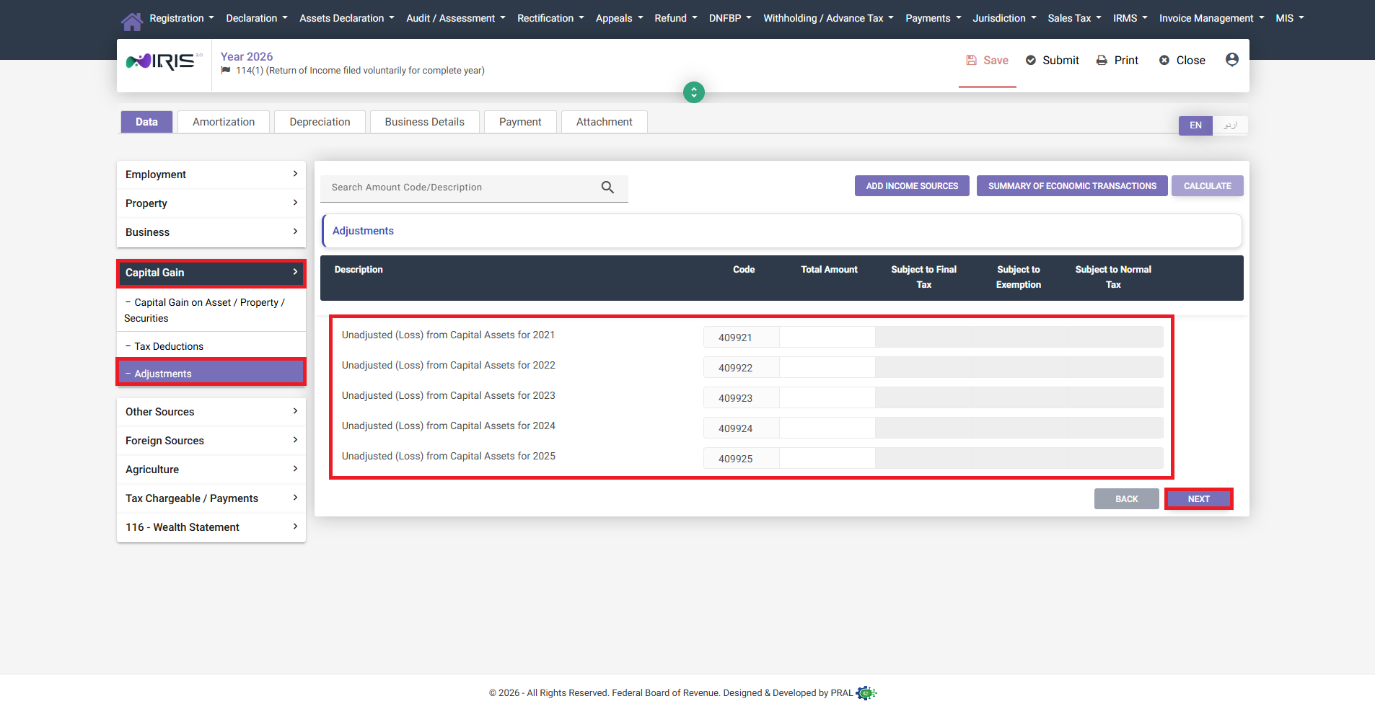
If you have unadjusted capital losses from previous years or other capital assets, enter those amounts in the Adjustments tab and click Calculate, then Next. This will allow the system to carry forward and offset losses against gains wherever allowed by the rules.
Common Mistakes We See With Capital Gains
- Reporting property capital gains through the general Property section instead of Capital Gain. Rental income and capital gain on the same property are two different things, to be reported in two different sections.
- Forgetting to carry forward unadjusted losses. If you had a capital loss in a previous year that was not fully absorbed, it needs to be entered in Adjustments here, not left out.
- Not distinguishing which asset type applies before adding it – securities, property, and other capital assets all have different rate and adjustment rules, so it is important to choose the right category right away.
FAQ
Are capital gains taxed the same way as regular income?
No. Capital gains are generally subject to Final Tax at their own rates – hence their having a separate Tax Deductions step in addition to your other income modules.
What if I sold a property at a loss?
Enter it as a capital loss on that property. If it cannot be fully absorbed in the current year, carry the unadjusted amount forward and enter it in the Adjustments tab in future returns.
Do I need to report gains on mutual funds separately from shares?
Both are added through “+ Capital Assets” by selecting the specific asset type from the list – the system tracks them individually even though the process to add each is the same.