Reporting Rental Property Income in the New IRIS Return
If you have rental income from residential, commercial, or other property, this amount should be reported in the Property section of the return – make sure to select the income source on the Return Prerequisites screen if not already done. For the 2025 tax year onwards, FBR has standardized the reporting process for property to include more detail than before – hence why this guide has more steps than it may be used to.
For an end-to-end walkthrough of the return from login to submission, check out our step-by-step guide to filing your income tax return online.
Step 1: Add or Confirm Your Property
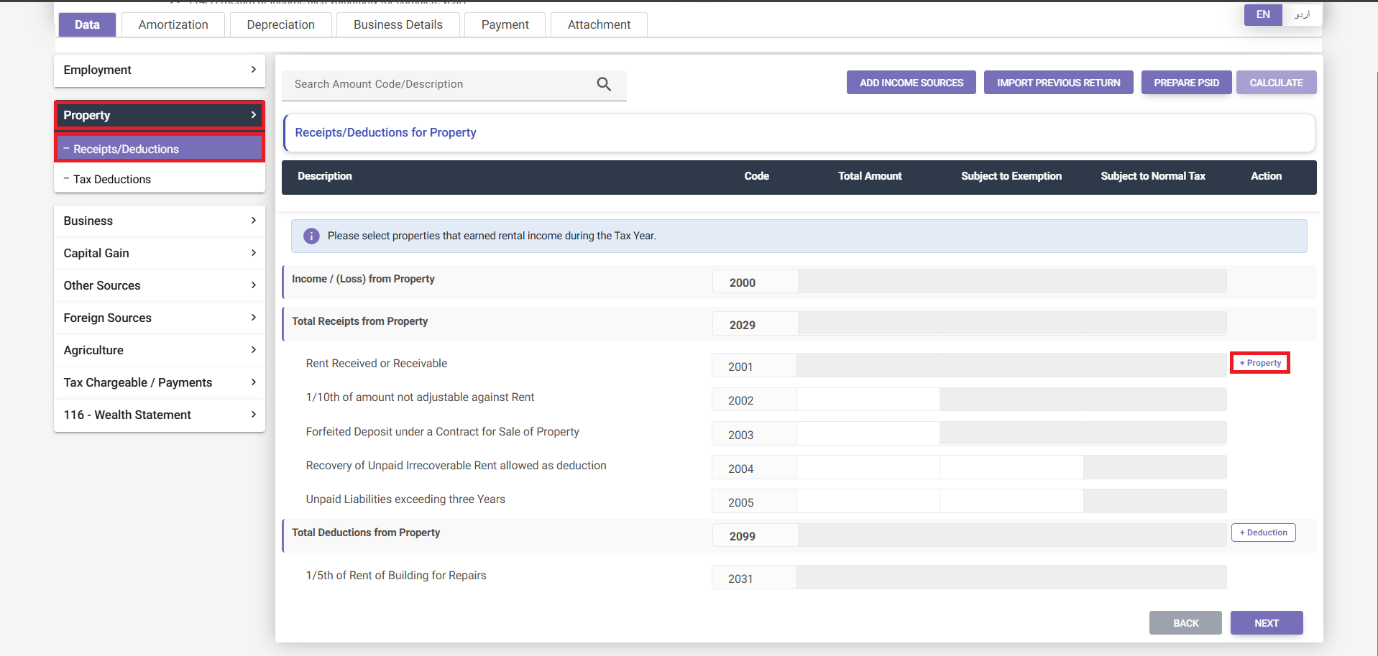
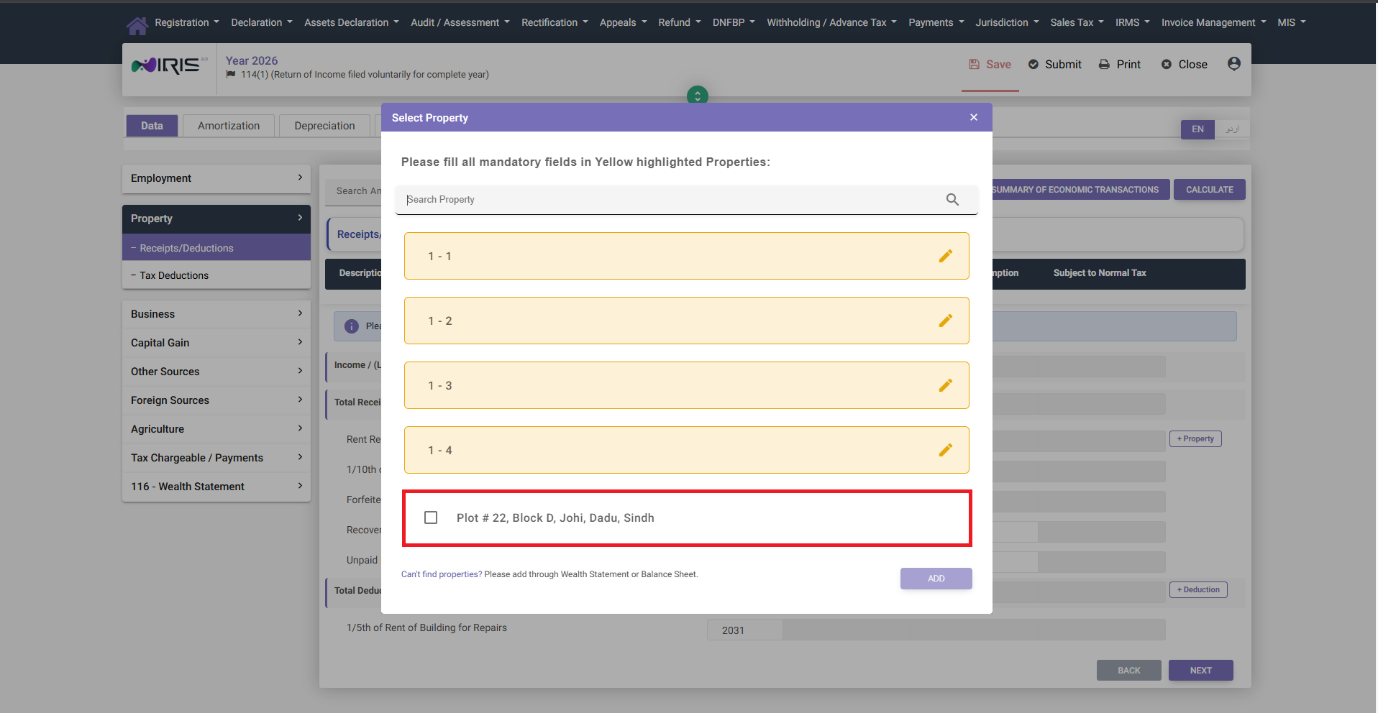
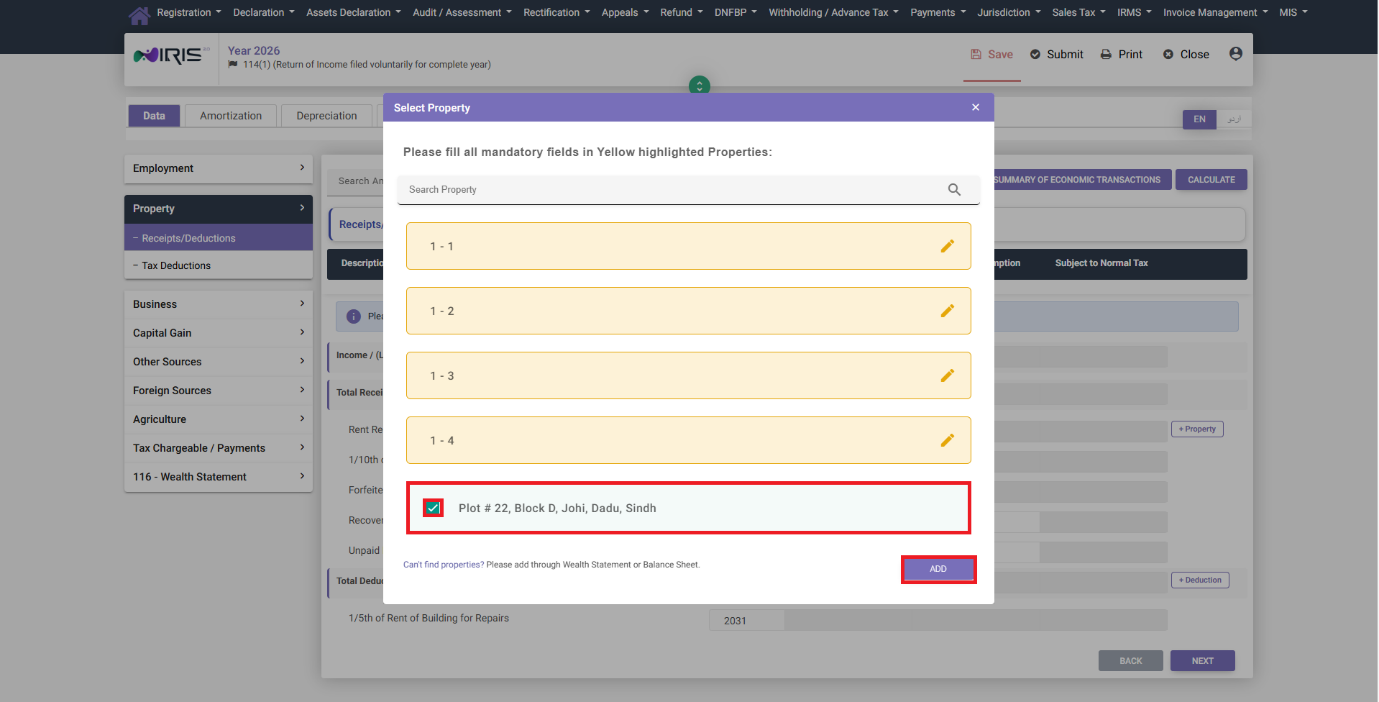
In the Property section, select Receipts/Deductions, then click on “+ Property.” A popup window will show you properties that you have declared in prior years.
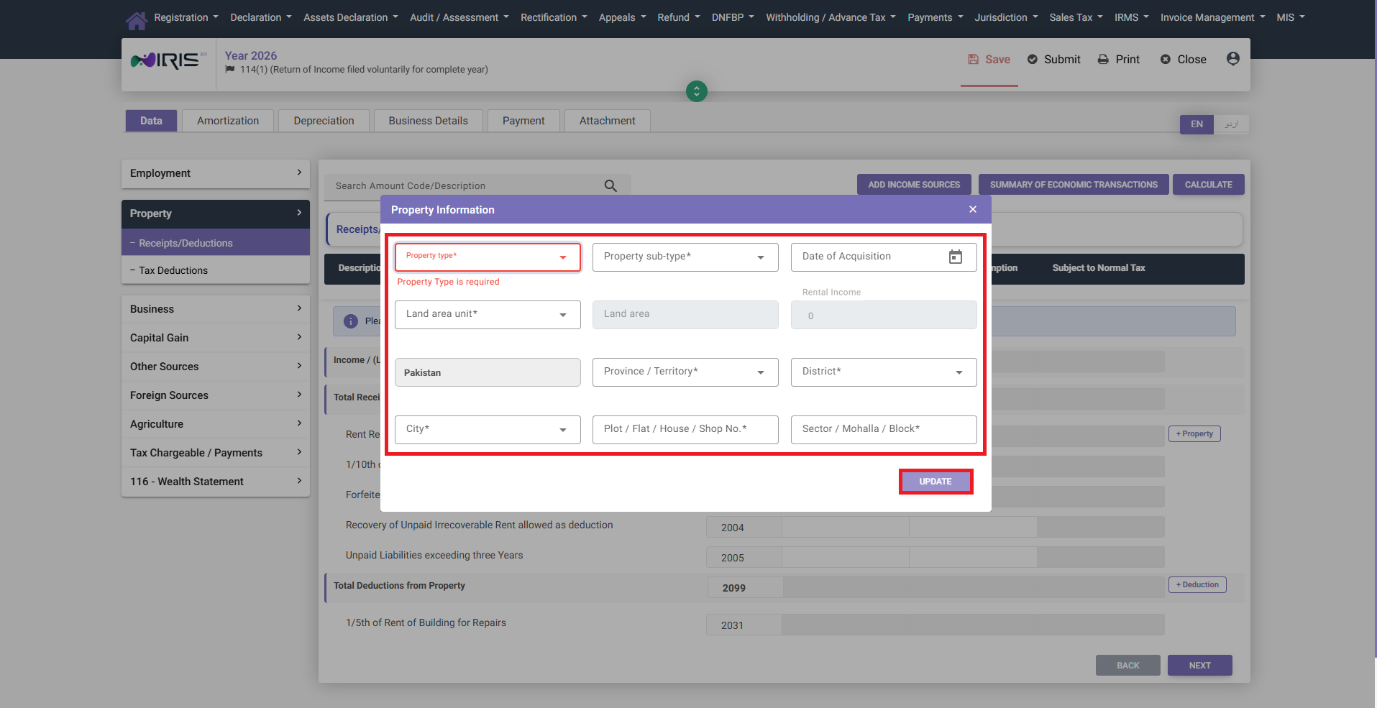
- Those that are highlighted in yellow were declared previously with an incomplete address – you will need to complete the address information before being able to use this property in this year’s return.
- Clicking on the edit icon will open up the Property Information window, where you can fill in the previously-unsubmitted address information, then click Update.
- From the list of properties, select the desired property, then click Add to add it to your current return.
However, if you have not declared the property in a prior year, clicking “+ Property” will instead open up a window allowing you to select the property from your Wealth Statement/Balance Sheet (if resident) or Immoveable Property (if non-resident) tabs:
Step 2: Enter Rent Received
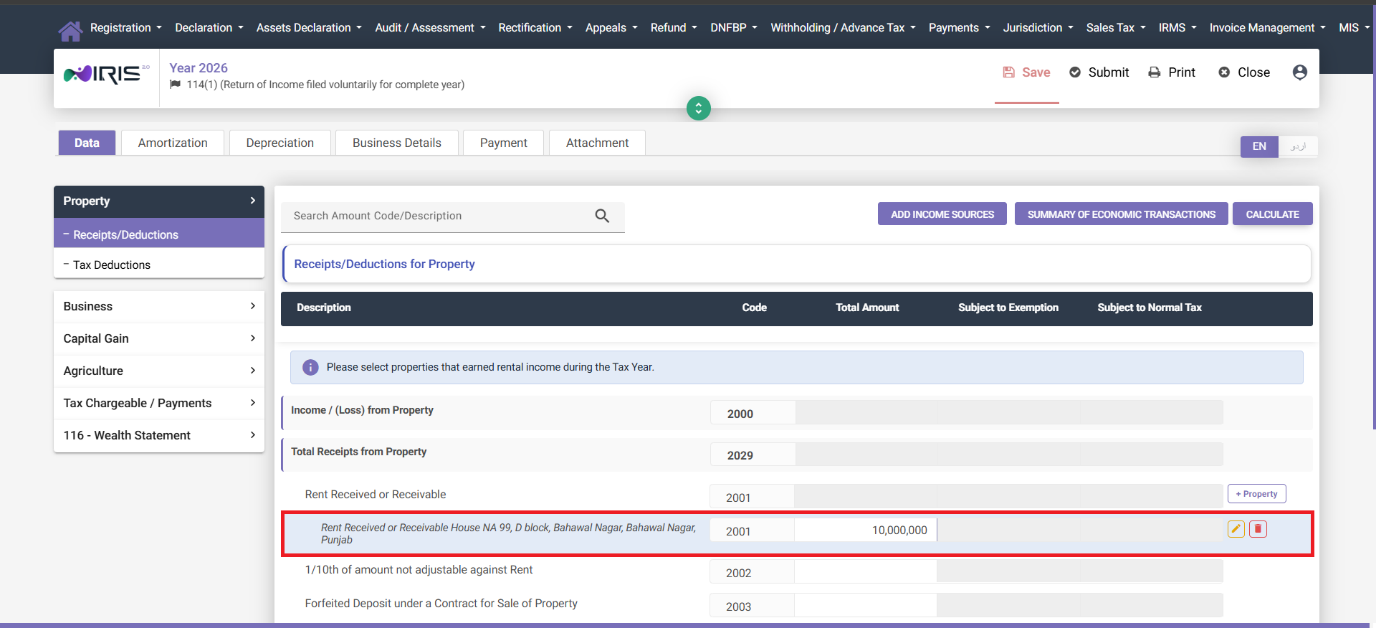
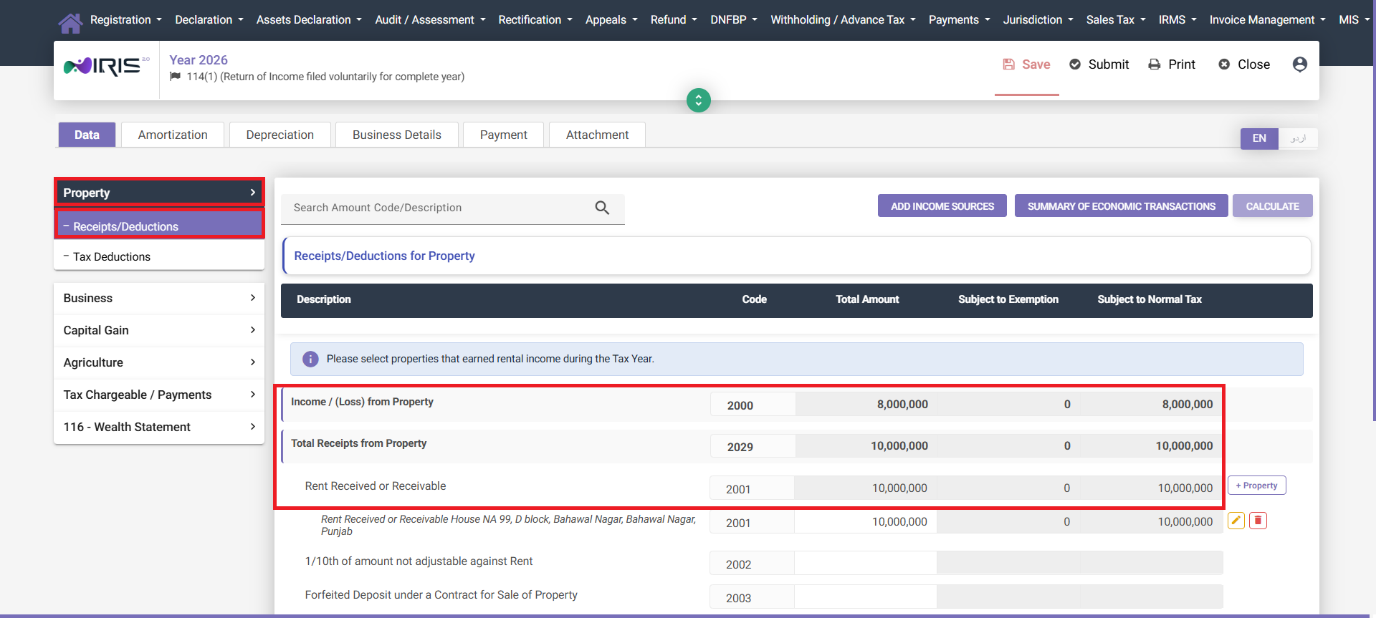
After adding the property, enter the amount of rent received for the tax year, then click Calculate to calculate the income or loss from the property. After clicking Calculate, note that the fields for the property’s underlying information are disabled from editing – this is by design, as FBR wishes for taxpayers to finalize the property record after calculating income from it:
Step 3: Add Deductions
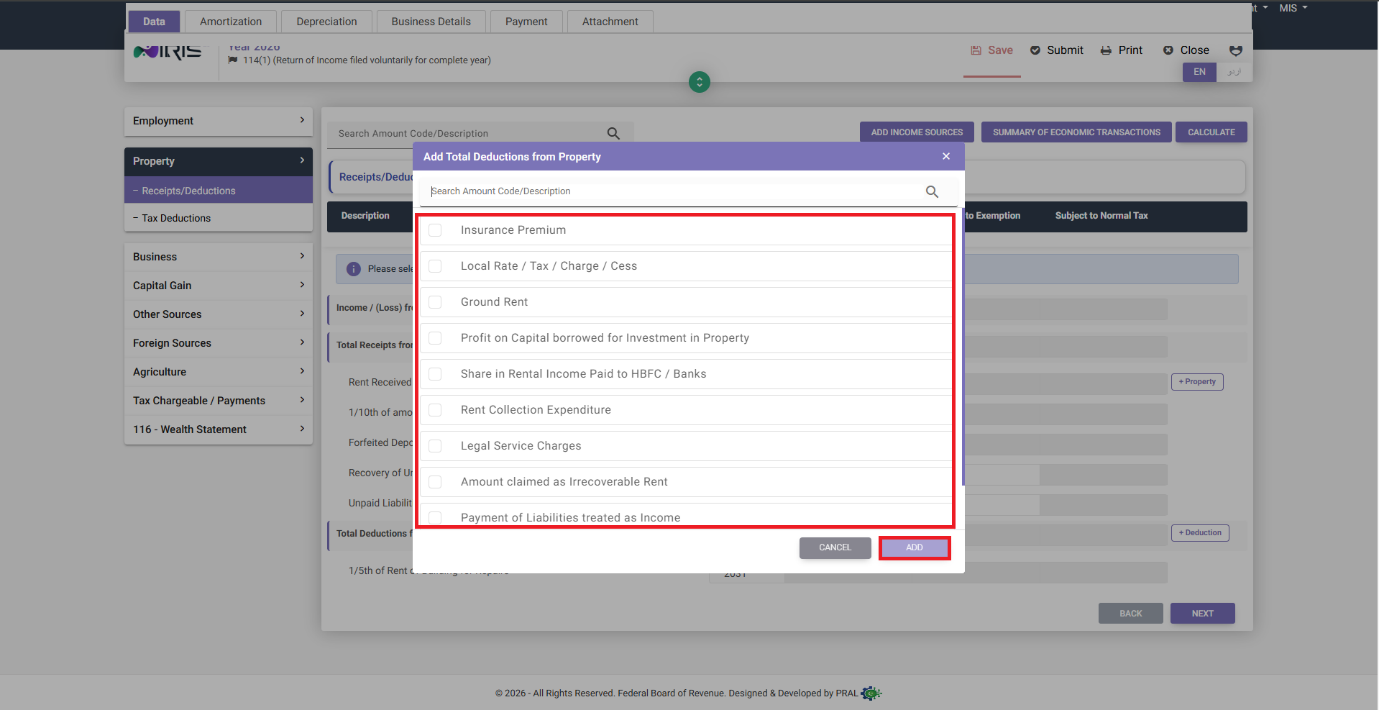
Clicking on “+ Deductions” will allow you to add any deductions from the property, e.g., repairs, taxes, or insurance depending on what is allowable. Simply select the deduction type from the list, then click Add to add it to the Total Deductions. From there, simply enter the relevant figures, click Calculate, then Next:
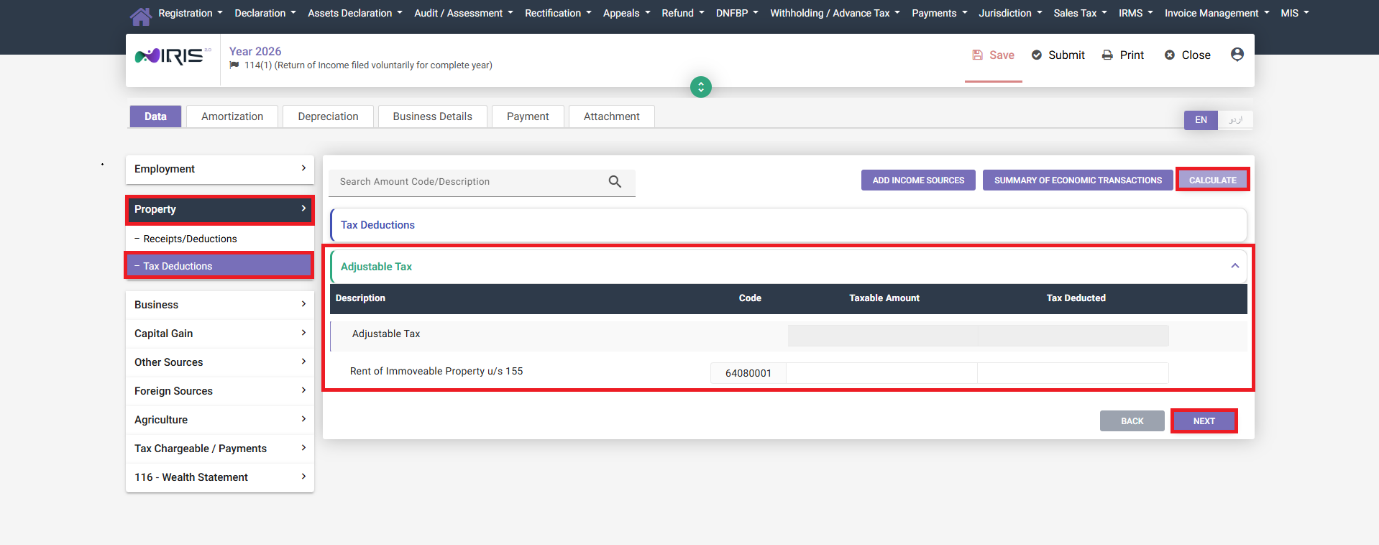
Step 4: Adjustable Tax Against Property
In the Tax Deductions tab, enter any adjustable tax that has been deducted against the property, e.g., tax withheld by a tenant or agent. Simply click Calculate, then Next to proceed to the next income tab.
What If You Sold or Gifted the Property?
Note that a property that was declared in a prior year cannot be deleted from the system. If you no longer have ownership of the property, consider declaring it as either Sold or Gifted, rather than attempting to delete the property – this preserves the integrity of your Wealth Statement.
Common Mistakes We See With Property Income
- Failing to complete the address of a property that was carried over from a prior year. While the yellow highlighter on the incomplete address is conspicuous, many users overlook it and move on, only to find that they cannot use the property in their current year’s return due to this error.
- Forgetting to add any deductions from the property before clicking Calculate. If you inadvertently calculate the income figure from the property before adding any deductions, simply return to this screen, add the deductions, and click Calculate once more – the figures should update accordingly.
- Attempting to delete a property that was sold instead of declaring it as such. This causes inconsistencies in the wealth statement, which will cause errors later when reconciling your figures.
- Forgotten adjustable tax already deducted by a tenant or agent, causing you to pay tax that has already been withheld.
FAQ
Do I need to report rent from a property I only owned for part of the year?
Yes – you should report the amount of rent received from the property for the tax year, regardless of whether you owned the property for the entire year or not.
What if I have more than one rental property?
You should declare each property individually – adding the income and allowable deductions from each property to the relevant fields in the Property section.
Is property income taxed differently from salary?
Salary income and property income are treated as separate categories of income for tax purposes. This is why they must be declared separately – as the applicable tax rates and deductions differ for each category.
Continue Your Income Tax Filing Guide
See also: our guide to tax on rental income in Pakistan.
See the Tax Year 2027 (2026-27) property income (Sec 155) rates in our free tax calculator.