Reporting Agricultural Income in the New Return
Income derived from cultivating crops, agricultural produce, orchards, or other farming-related activities on agricultural land must be reported in the Agriculture section of the return. Select it as an income source in the Return Prerequisites screen if applicable.
For a full walk-through of the return from login to submission, see our step-by-step guide to filing your income tax return online.
Step 1: Add Your Agriculture Income
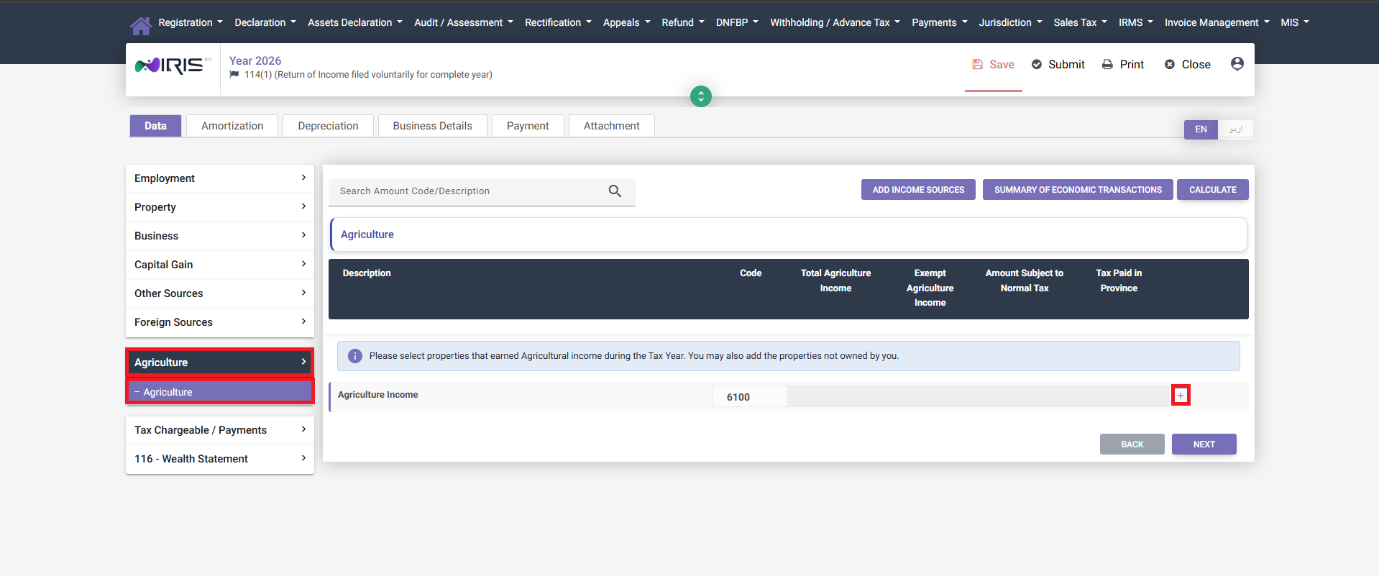
Navigate to the Agriculture section and select Agriculture. Click the + icon under Agriculture Income – a pop-up window opens for your options.
There are two paths depending on ownership:
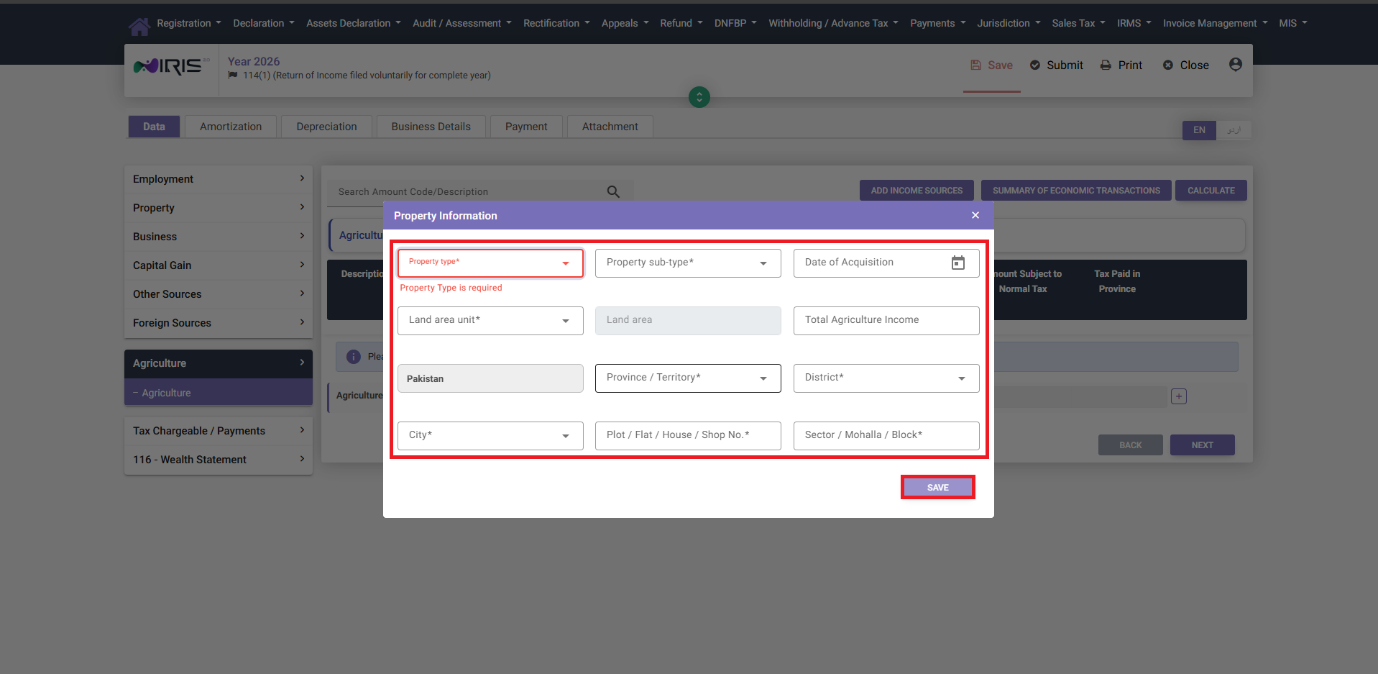
- If the agricultural property is owned by you, select it from the list. Only previously declared properties (in a previous tax year) or added through your Wealth Statement/Balance Sheet (residents) or Immoveable Property tab (non-residents) are available to be selected here – if the property doesn’t show up, it needs to be added there first.
- If the property is not owned by you (land farmed under a lease or arrangement with the owner), click on “Add Agriculture Property Not Owned by Me,” add the required property details, and click Save. Select it from the pop-up and click Add to add it to the return.
A property not owned by you won’t show up in your Balance Sheet or Wealth Statement – it’s tracked for income purposes only, not as an asset.
Step 2: Calculate and Continue
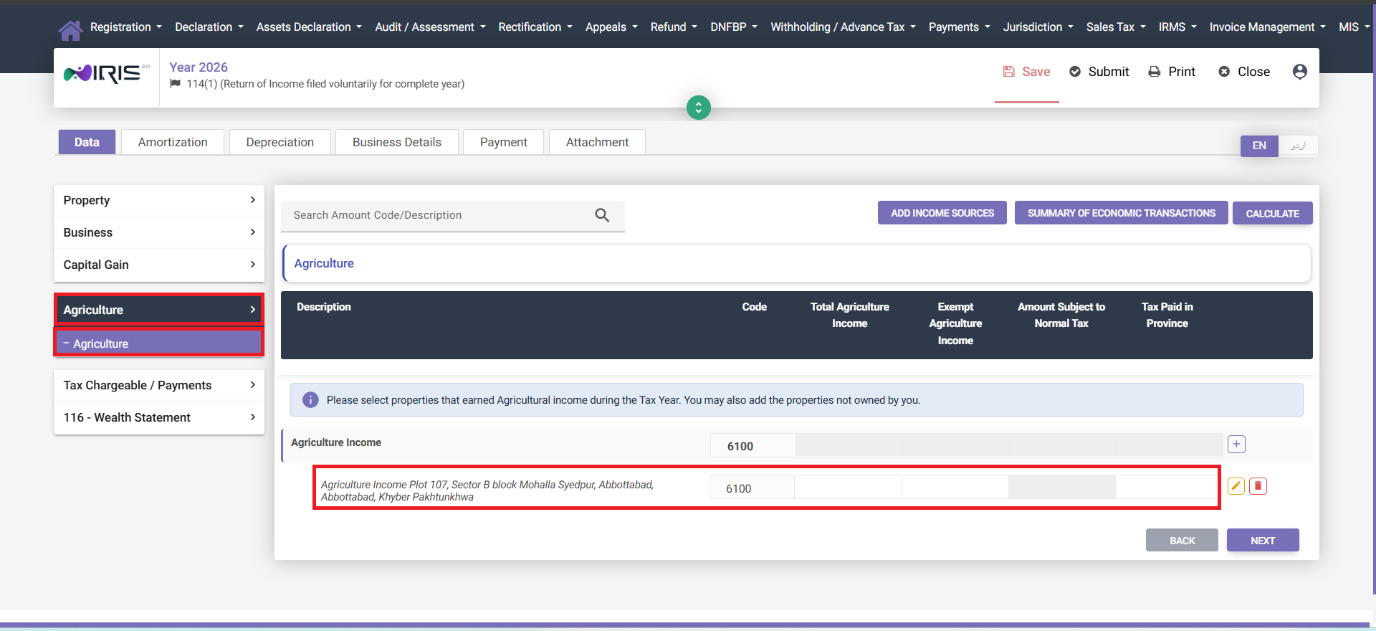
Once your property is added, the grid will show the details of your property. Click Calculate to calculate the income amount, then Next to continue to your following income module.
Common Mistakes We See With Agricultural Income
- Trying to select a property that was never declared before. Only properties already on record through a previous return or your Wealth Statement/Balance Sheet show up in the selection list – a brand-new owned property needs to go through those channels first, not directly here.
- Adding owned land using the “Not Owned by Me” option by mistake, keeping it out of your Balance Sheet and potentially creating a mismatch in your asset declarations.
- Forgetting to click Calculate after selecting the property – the income figure won’t populate correctly further down the return until this is done.
FAQ
Do I need to own the land to report agricultural income from it?
No. If you farm land under a lease or similar arrangement, use “Add Agriculture Property Not Owned by Me” to report that income separately from land you actually own.
Why isn’t my agricultural property showing up in the selection list?
Only properties previously declared in a previous return or added through your Wealth Statement/Balance Sheet (residents) or Immoveable Property tab (non-residents) appear here. Add the property through one of those first if it’s new.
Is agricultural income taxed the same way as other income?
Agricultural income has its own treatment per Pakistani tax law, separate from Employment, Property, or Business income, which is why it has its own dedicated section in the return.