Why Sales Tax Returns Have So Many Annexures
A Sales Tax Return is typically not just one form in IRIS but consists of the main return + set of annexures, each pertaining to particular operations and/or sales tax transactions. The annexures are not mandatory, depending on what a taxpayer does – which sales tax transactions apply to them during the tax period. Below, we describe what each of the annexures covers.
Annex-C (Sales)
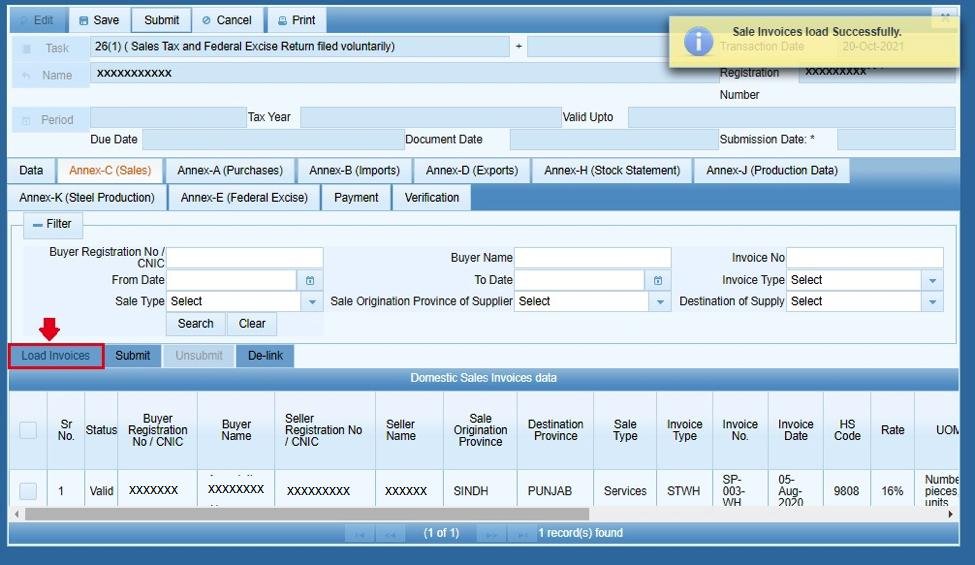
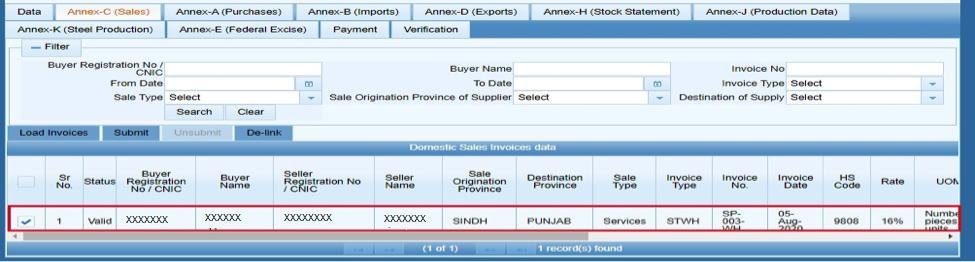
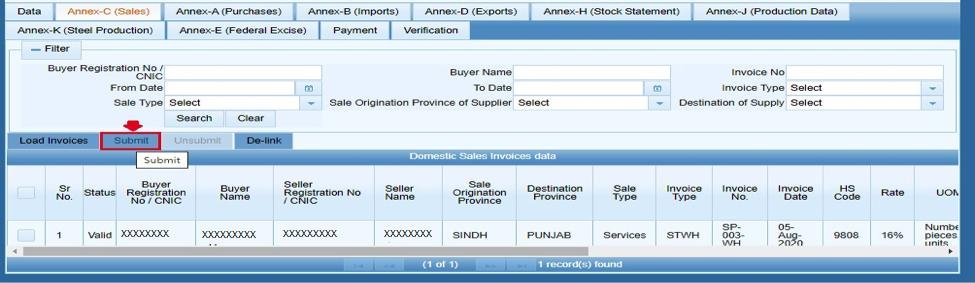
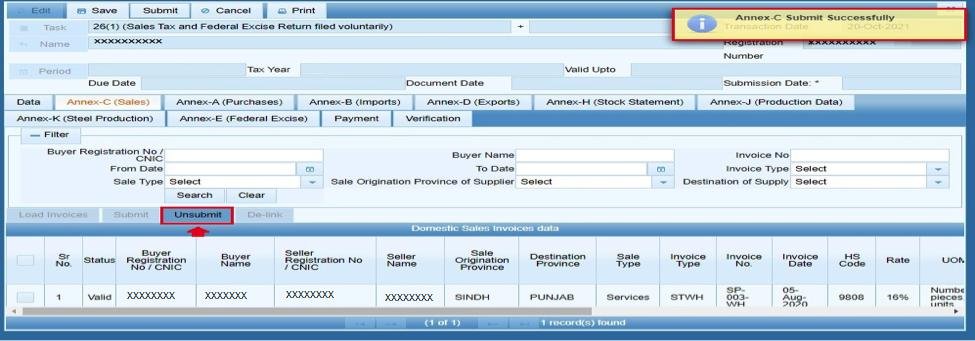
Outgoing sales and any ST-withheld invoices for the period. In IRIS, the user can ‘Load Invoices’ to import the data automatically, check the “Domestic Sales Invoices data” grid, and save. Most businesses must complete this annex, as it covers domestic sales.
Annex-A (Purchases)
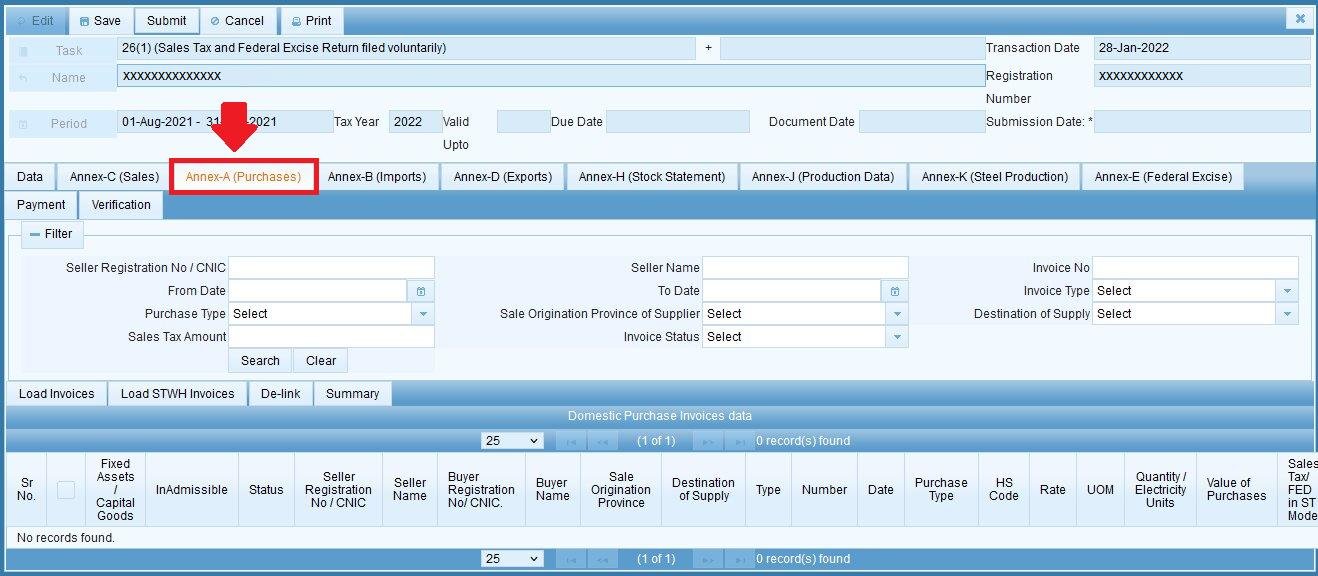
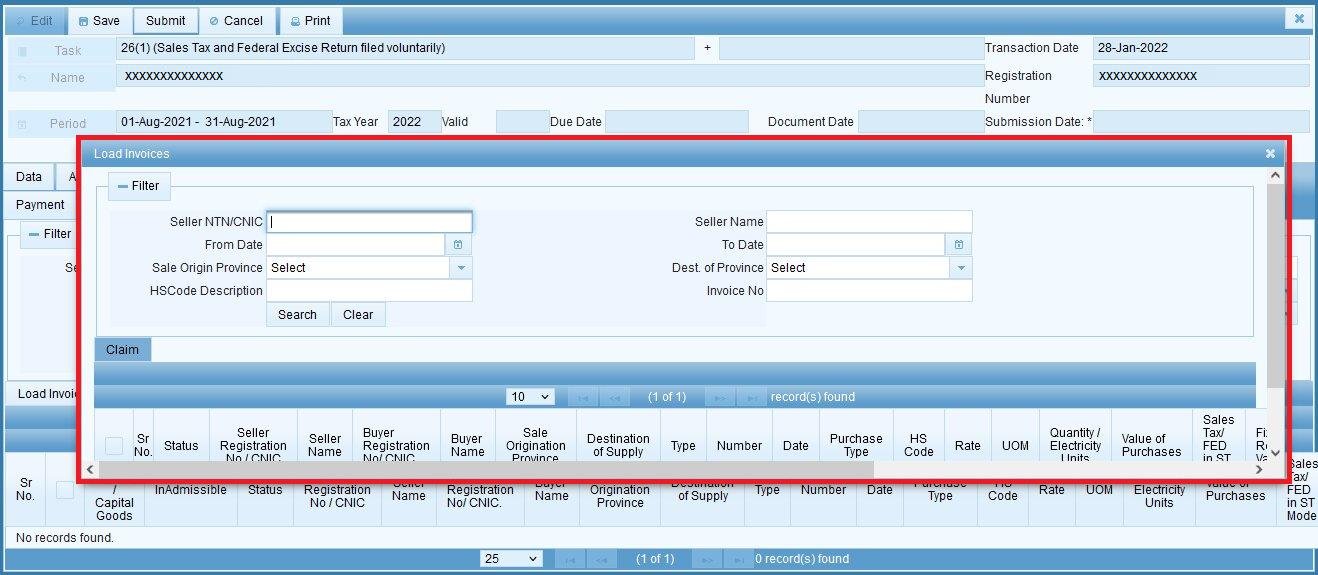
Purchases – input tax claims, i.e., tax paid on purchases that can be reclaimed from the tax authorities against the output tax (sales tax collected from customers). The user loads the invoices and filters/searches for the relevant ones, ticks them, and clicks ‘Claim.’ See our guide on claiming input tax on Annex-A for the full invoice management process instructions.
Annex-B (Imports)
Import input tax (tax paid on imports of goods). The user clicks ‘Load GD(s)’ to select Goods Declarations (GD) for the period and ‘Claim’ to process input tax claims. Note that Goods Declarations already used in Annex-K are excluded from this annex, as each GD can only be used once.
For the full instruction on claiming import input tax under Annex-B, see our guide here.
Annex-D (Exports)
For businesses engaged in exports of goods – clicking ‘Load GD(s)’ populates the “Export GD(s) details” grid with relevant export GDs for the period. If a business does not make exports, this annexure will be empty.
For the full instruction on reporting exports under Annex-D, see our guide here.
Annex-E (Federal Excise)
For businesses involved in the turnover of goods and services subject to Federal Excise Duty in addition to Sales Tax. The taxpayer populates the relevant fields and clicks ‘Calculate’ to view the excise code fields calculated by IRIS.
Annex-F (Balance Credit)
Input tax balance carried forward from the previous period, if any. Simply click ‘Calculate’ to enter the carried-forward claims.
Annex-G (Arrears)
Arrears affecting the current tax liability and claim for the period. Click ‘Calculate’ to view the relevant figures.
Annex-H (Stock Statement)
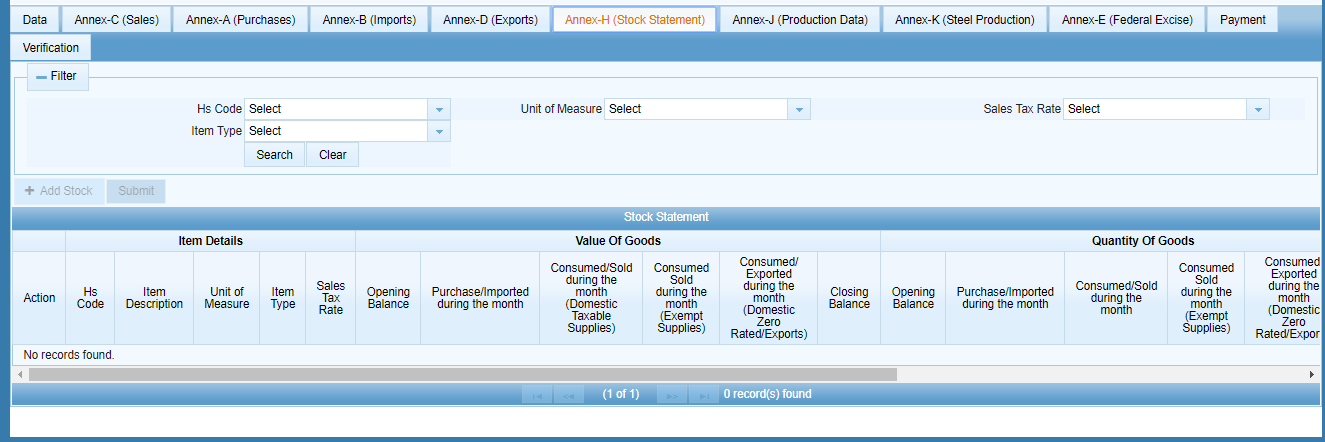
Statement of stock (opening and closing balances). The user clicks ‘Add Stock,’ populates the relevant fields, and saves.
Annex-J (Production Data)
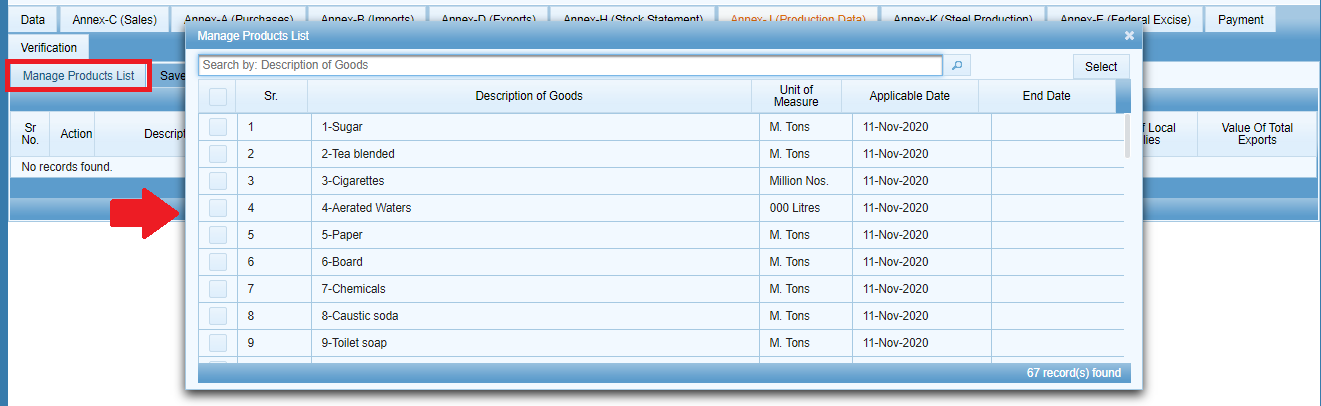
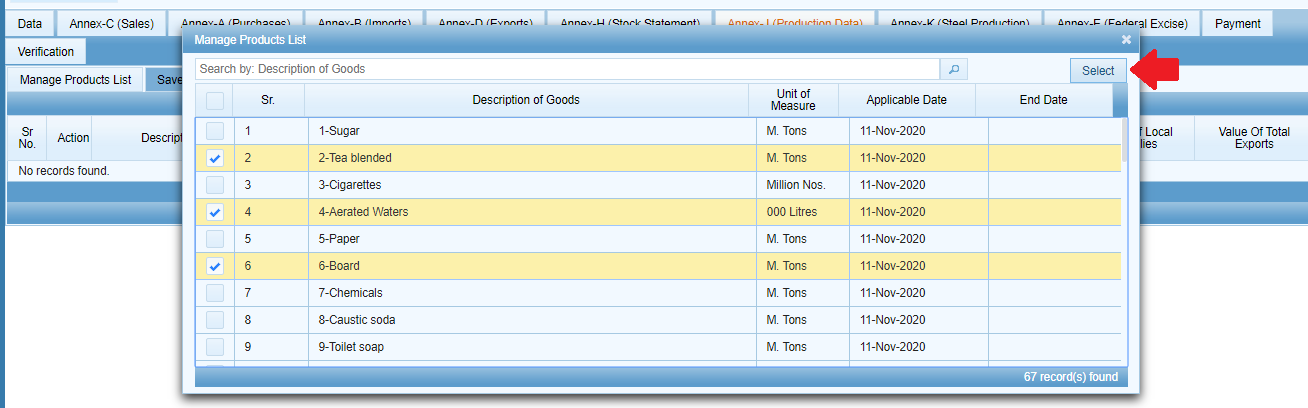
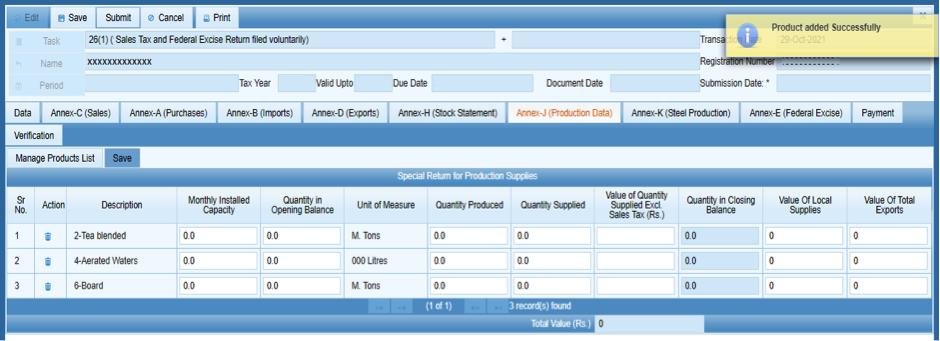
For manufacturing businesses – clicking ‘Manage product list’ allows the user to select products manufactured and populate the relevant production data for each against the production data fields, and save.

Annex-K (Steel Production)
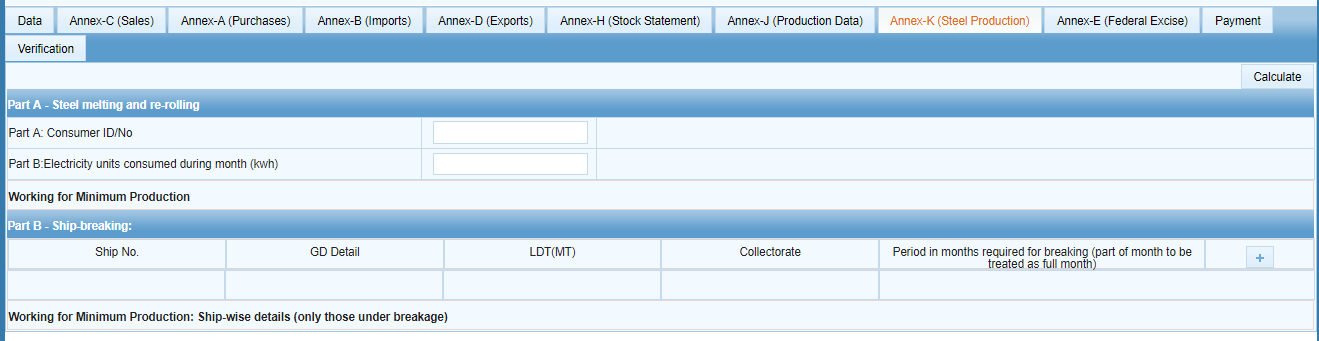
Steel production turnover statement – the steel sector must report their production volumes and, if applicable, add shipment information. Note that GDs consumed in this annex will no longer be available in Annex-B.
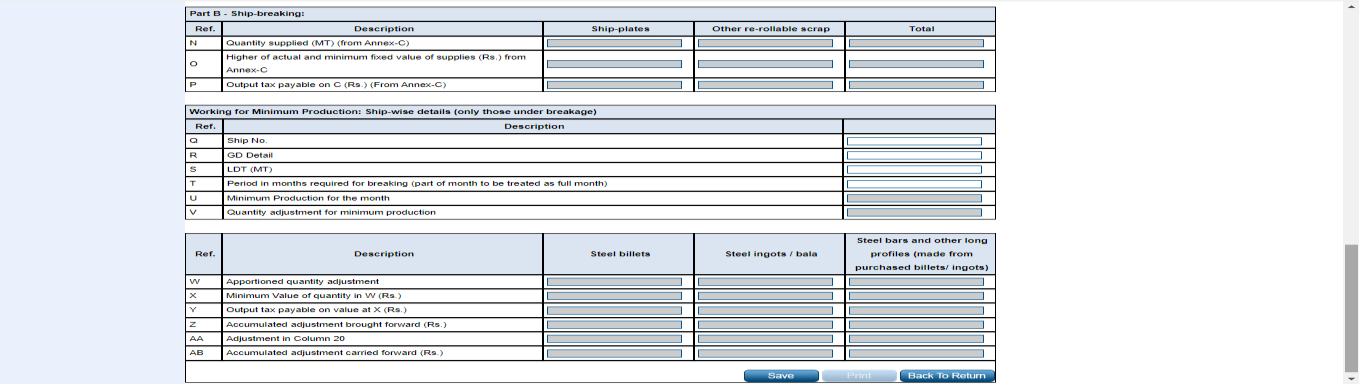
Annex-P (Distribution)
For businesses involved in distribution-stage operations. Simply click ‘Calculate’ on the Data tab to populate the relevant figures.
How Do I Know What I Need to Report?
Most trading and retail businesses will typically report under Annex-C (sales) and Annex-A (purchases) with Annex-B (imports) if applicable. Manufacturing businesses – in addition to Annex-C and Annex-A – report under Annex-J, and steel sector manufacturers – under Annex-K. Businesses engaged in exports report under Annex-D. Finally, businesses dealing in excisable goods and services report under Annex-E. If a taxpayer does not report any transactions for a given annex, they are not obliged to report under it, even if the annex is technically available for their business category. In other words, a taxpayer is only obliged to report under annexures that relate to their operations for the tax period.
For the full end-to-end submission process from logging in to IRIS to submitting the Sales Tax Return, see our step-by-step guide to filing Sales Tax in Pakistan.
FAQ
Do I need to process all annexures before submitting my Sales Tax Return?
Only those that are relevant to your operations need to be processed – but review all annexures relevant to your business before submission because the Sales Tax Return cannot be edited after submission.
What’s the difference between Annex-A and Annex-B?
Annex-A covers input tax claims on domestic purchases, while Annex-B covers import input tax claims. In other words, Annex-A is similar to Annex-B but for local versus imported goods.
Can a GD appear in both Annex-B and Annex-K?
No, a GD consumed in one annex will no longer be available for processing in another annex.