
Three Numbers That Confuse Almost Every Filer
On the Data tab of your Sales Tax Return, you will see three separate sections – Sales Tax Credit, Sales Tax Debit, and Payable, each with their own Calculate button. They all sound similar, but they are three different things, and a common source of confusion when filing.
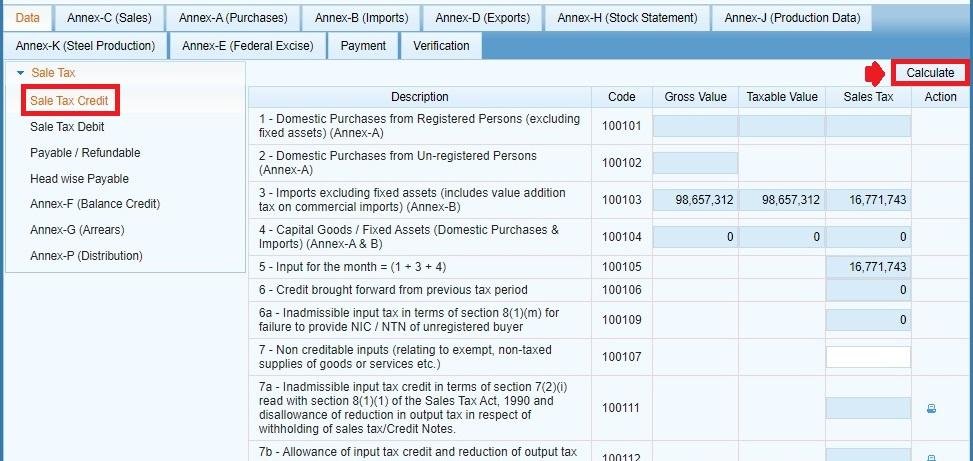
Sales Tax Credit: What You’re Owed
Sales Tax Credit is your input tax – the tax you’ve paid on business purchases and other eligible inputs during the tax period. This figure is formed by your input tax claims on your Annex-A (Purchases) and Annex-B (Imports), as well as your Annex-F balance carried forward from a previous period. You can calculate your Sales Tax Credit by clicking the “Calculate” button under that section, which IRIS will sum up your input tax from the submitted annexures.
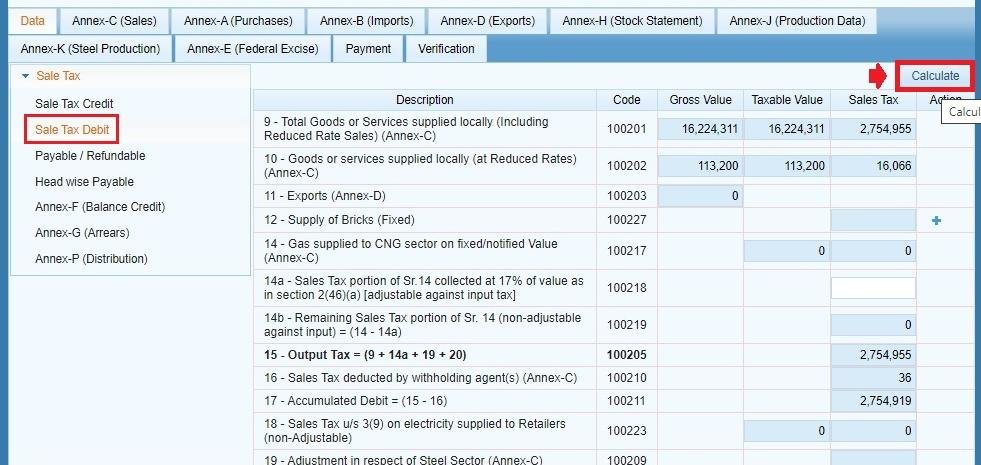
Sales Tax Debit: What You Owe
Sales Tax Debit is your output tax – the tax you’ve charged your customers during the period. This is mainly derived from your Annex-C (Sales) figures. You can calculate your Sales Tax Debit by clicking the “Calculate” button under that tab, which IRIS will sum up the tax you’ve collected from your customers for taxable supplies.
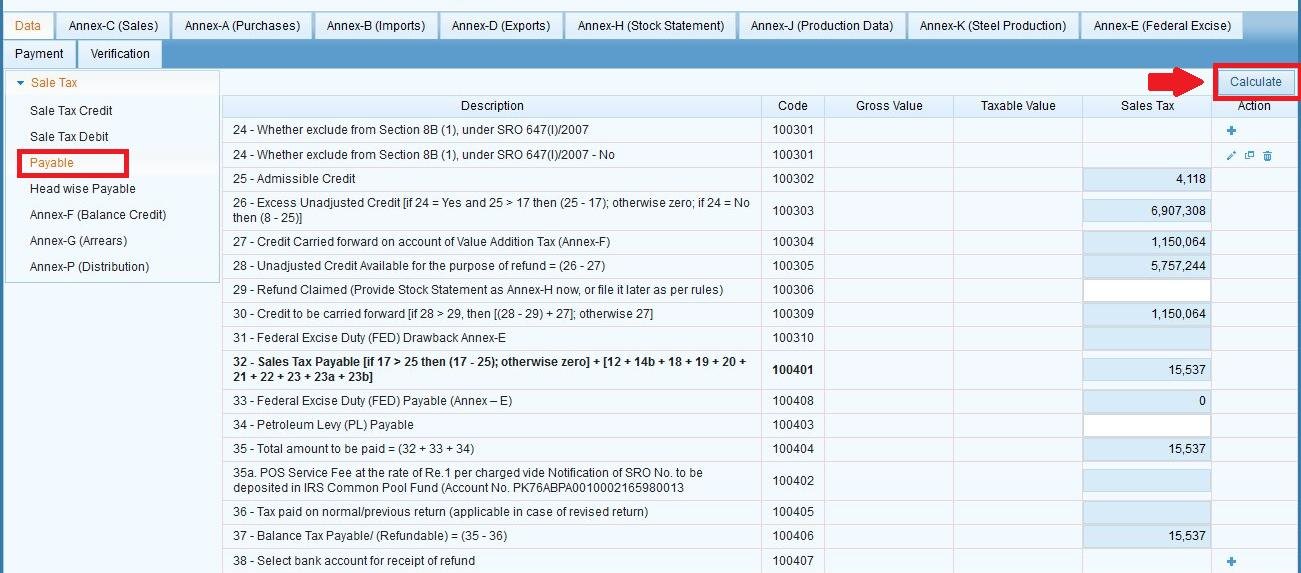
Payable: The Net Result
Payable is simply Debit minus Credit – the amount you owe FBR (or, if Credit exceeds Debit, the carryforward balance) after your input tax is set off against your output tax. You can calculate your Payable by clicking “Calculate” under that tab, now that your Credit and Debit have been finalized, since Payable is dependent on both being accurate.
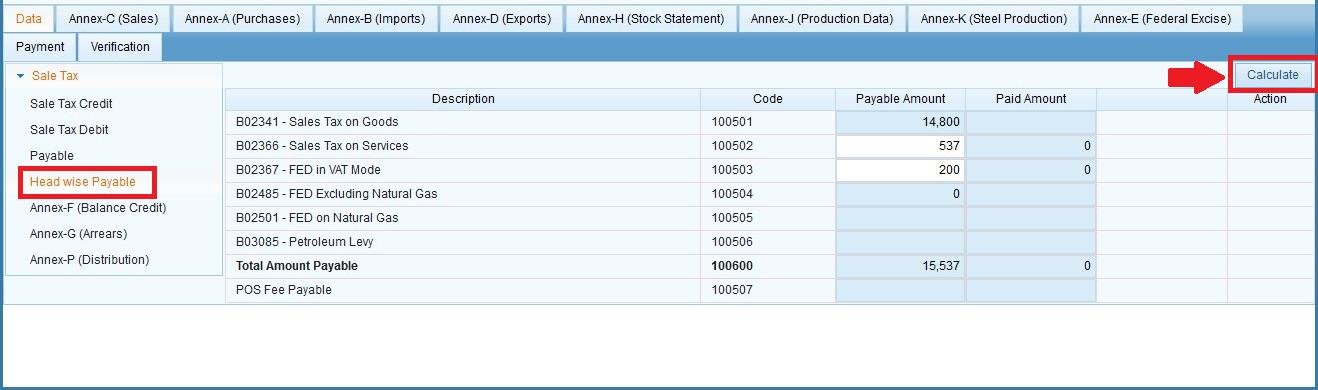
Head-wise Payable: The Breakdown
Once your overall Payable figure is calculated, Head-wise Payable breaks down the amount by the tax heads it applies to – this is useful information to understand what you’re actually paying and matching it against your CPR when you attach payment.
Why the Order Matters
Since Payable is calculated from Credit and Debit, and Credit/Debit are derived from your annexures, working through your return in the right order matters:
- Complete and submit Annex-C (Sales) and Annex-A (Purchases) (and Annex-B if you have imports)
- Calculate Sales Tax Credit.
- Calculate Sales Tax Debit.
- Calculate Payable.
- Check Head-wise Payable for the breakdown.
By calculating your Payable before you submit your annexures, you will have an incorrect figure, since it is dependent on those annexures being finalized first. See our full Sales Tax return filing guide for the complete step-by-step process.
Common Mistakes We See Here
- Calculating Payable before submitting Annex-C or Annex-A – your figure will be incorrect or incomplete since it is dependent on those annexures being finalized first.
- Not calculating Payable again if you edit an annexure – If you go back and edit a purchase or sales entry, make sure to re-calculate your Calculate on Credit, Debit, and Payable again – IRIS won’t always refresh them.
- Assuming a high Payable figure is an error without first checking if all eligible input tax was actually claimed under Annex-A/Annex-B – a missing purchase invoice directly inflates what you owe.
FAQ
What if my Sales Tax Credit is higher than my Debit?
That usually means you paid more input tax than you collected in output tax for the period – the excess usually carries forward as a balance (see Annex-F, Balance Credit) rather than being paid out immediately.
Do I need to manually calculate these figures myself?
No – IRIS calculates them automatically based on your submitted annexures. You just need to click “Calculate” on each section after your annexure data is complete.
Why does my Payable figure keep changing?
It is derived from your Credit and Debit figures – if you edit a purchase or sales invoice after an initial calculation, Payable needs to be recalculated to reflect the change.